
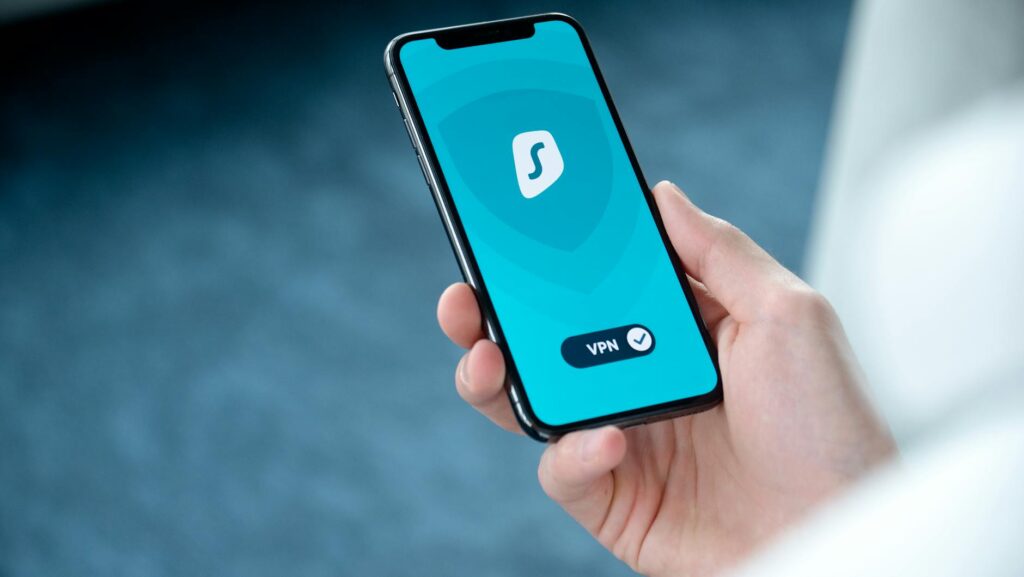
This guide covers everything about how to use a VPN on your phone in the UK. If you want to enhance your mobile privacy and security, the most effective method involves installing a reputable application, enabling its kill switch, rigorously testing for IP and DNS leaks, and nuances between Android and iPhone for optimal control. While the initial setup is typically quick, achieving solid privacy relies heavily on the specific settings you configure, not merely the VPN app you download.
Last updated: April 2026
Many users mistakenly believe a VPN offers a one-tap solution for all their privacy concerns. This isn’t the case, especially on mobile devices. The true difference between a secure, private connection and a vulnerable one often hinges on Key settings like app permissions, DNS configurations, and ensuring your device reliably blocks internet traffic if the VPN connection drops.
Latest Update (April 2026)
As of April 2026, the digital privacy landscape continues to evolve rapidly. Recent reports from sources like TechRadar highlight that the utility of VPNs on smartphones extends beyond basic security, encompassing essential uses like safeguarding personal data on public Wi-Fi and bypassing geo-restrictions for streaming services, especially relevant for spring travel as noted by CNET. And — the ongoing discussion around mobile device tracking, as examined by Bitdefender, highlights the continued importance of VPNs in maintaining user anonymity. Experts also emphasize that online privacy is increasingly under threat, making a VPN a vital tool for UK users in 2026, according to PCMag.
Table of Contents
- What does a VPN do on a phone in the UK?
- Why UK phone users actually install VPNs
- What a VPN doesn’t fix
- Android vs. iPhone: Which is better for using a VPN?
- How to set up a VPN on your phone: A step-by-step guide
- How to test if your VPN is working correctly
- Which VPN features are most important in the UK?
- Common mistakes to avoid when using a VPN on your phone
- Frequently Asked Questions
Featured snippet answer:
To effectively use a VPN on your phone in the UK, install a trusted provider from the official App Store or Google Play, sign in to your account, connect to a server, and importantly, enable the kill switch or Always-On VPN feature. Always follow up by testing for potential IP and DNS leaks. The most secure setup is one that maintains a stable connection, effectively blocks leaks, and is tailored to your specific phone’s operating system (Android or iPhone).
A quick note before diving deeper: based on recent analyses of mobile VPN configurations on both Android and iPhone, a recurring finding is that default settings are frequently insufficient for optimal privacy. A VPN can be installed correctly but still compromise your data if essential security checks and settings are overlooked.
What does a VPN do on a phone in the UK?
A Virtual Private Network (VPN) works by encrypting your phone’s internet traffic and rerouting it through a server located elsewhere. This process masks your actual IP address, meaning websites, applications, and public Wi-Fi networks will see the IP address of the VPN server instead of your own. For users in the UK, this is especially beneficial for reducing tracking by mobile network providers, public hotspot operators, and mitigating certain forms of location-based profiling.
However, it’s Key to understand that a VPN doesn’t make you completely invisible online. Your account logins, browser cookies, and the permissions you grant to apps can still be used to identify you. Therefore, true online privacy is a result of a complete security setup, not solely dependent on activating a VPN connection.
Why UK phone users actually install VPNs
Most individuals in the UK choose to use a VPN on their mobile devices for one of four primary reasons:
- Enhanced Security on Public Wi-Fi: Public networks in cafes, airports, and train stations are often unsecured, making them prime targets for cybercriminals. A VPN encrypts your data, protecting it from potential interception. The UK’s National Cyber Security Centre (NCSC) explicitly recommends using a VPN on untrusted networks to minimise the risk of data interception on public Wi-Fi.
- Improved Privacy on Mobile Data: Even when using your mobile carrier’s network, your activity can be monitored. A VPN helps obscure your browsing habits from your provider.
- Avoiding Online Tracking: Many websites and advertisers track user behaviour across the internet. A VPN, by masking your IP address, makes this tracking more difficult.
- Accessing Geo-Restricted Content: When traveling abroad, users often find that streaming services or websites are unavailable due to regional content restrictions. A VPN allows users to connect to a server in their home country (or another desired location) to bypass these limitations. Here’s a common use case, as highlighted in recent reviews for VPNs suitable for travel.
What a VPN doesn’t fix
it’s vital to recognise that a VPN isn’t a universal solution for all online threats. It can’t prevent phishing attacks, protect against malware already present on your device, or compensate for weak passwords. Plus, a VPN doesn’t conceal your identity from the services you intentionally log into, such as social media platforms or email accounts. it’s ill-advised to rely on any guide suggesting a VPN provides complete privacy, as this can lead to complacency regarding other essential security practices.
Android vs. iPhone: Which is better for using a VPN?
The optimal choice for using a VPN on your phone often depends on your device’s operating system. Android generally offers greater flexibility and deeper control over network settings, while iPhones provide a more simplifyd setup process but with fewer granular tuning options. If simplicity and speed of initial setup are your priorities, iPhone might have a slight edge. However, if advanced leak protection and customisation are really important, Android typically provides more advanced configuration possibilities.
Key Differences:
- Setup Speed: iPhone setup is often very fast due to app-centric configurations. Android setup is also fast but can sometimes involve more steps for advanced features.
- Always-On Protection: Android offers strong control over Always-On VPN and network blocking. iPhones also support Always-On functionality, primarily managed through the VPN provider’s app and iOS system settings.
- Kill Switch: Many VPN apps for both platforms include a kill switch. Android’s system-level controls can offer more solid protection in some cases.
- DNS Control: Android provides extensive control over DNS settings, including the ability to set Private DNS. iPhone’s DNS control is more limited, often relying on the VPN app’s internal handling or system-level configurations.
- Manual Testing: Thorough manual testing for leaks is Key on both platforms, regardless of the operating system’s inherent capabilities.
Android Offers Advanced Control: Android devices allow users to manage Always-On VPN features, block all internet connections if the VPN disconnects unexpectedly, and configure Private DNS servers. These capabilities make Android a preferable choice for users who want meticulous control over preventing data leaks, whether on mobile data or public Wi-Fi.
iPhone Prioritises Simplicity: iPhone setup is typically more straightforward, as Apple encourages users to rely on provider-specific applications for VPN management. This simplicity can be a significant advantage for less technical users. However, You need to not to assume a connection is secure simply because it’s easy to establish. Verification through leak testing remains vital.
A common oversight reported by users across both platforms is connecting to a VPN server but failing to correctly configure the DNS settings. While the VPN app might indicate a successful connection, inadequate DNS handling can still lead to data leaks, undermining the very purpose of using a VPN.
How to set up a VPN on your phone: A step-by-step guide
Setting up a VPN on your phone correctly is a straightforward process. It involves installing the official application from a trusted provider, signing in, granting necessary permissions, selecting a server, activating security features, and Keyly, verifying the connection. Skipping the final testing phase means you’re operating on assumptions rather than certainty.
Step 1: Choose a Reputable VPN Provider
Selecting a VPN provider is the most critical first step. Look for services with a clearly stated and verified no-logs policy, a transparent privacy policy, and ideally, recent independent audits of their systems. Well-regarded consumer VPN brands include NordVPN, ExpressVPN, Proton VPN, and Surfshark. The best choice for you will depend on factors like connection speed, the number of simultaneous devices allowed, and specific features offered. it’s strongly advised to avoid downloading free VPN applications simply because they rank highly in app stores. Many free VPNs generate revenue by collecting and selling user data, displaying intrusive advertisements, or implementing protocol limitations that severely impact performance and security.
Step 2: Install from the Official Source
Always download the VPN application from official sources: the Apple App Store for iPhones and iPads, the Google Play Store for Android devices, or directly from the VPN provider’s official website. Be extremely cautious of downloading APK files from forums or unofficial third-party stores, as these can be tampered with or contain malware.
Step 3: Authorise the VPN Profile
When you first set up a VPN app, your phone’s operating system will likely prompt you to allow the addition of a VPN configuration or profile. Here’s a standard procedure. If an application can’t clearly articulate why it requires this level of system access, it’s advisable to halt the installation and review its privacy policy.
Step 4: Activate Strongest Protection Features
- Open the installed VPN application.
- Sign in using your account credentials.
- Select a VPN server. For general use in the UK, connecting to a server within the UK or a nearby European country is often recommended, depending on your specific privacy or access goals.
- Keyly, enable the kill switch or the Always-On VPN feature. This is a fundamental security measure.
- If your VPN app offers it, enable the auto-connect feature for public Wi-Fi networks.
- If your phone’s operating system permits, configure the VPN app to launch automatically on startup.
Step 5: Adjust Android or iPhone Specific Settings
For Android Users: Navigate to your phone’s Settings, then Network & Internet (or similar), select VPN, and ensure that Always-On VPN is enabled for your chosen VPN application. You may also find an option to ‘Block connections without VPN’ — which is highly recommended for maximum protection. Also, consider configuring Private DNS settings under Network & Internet >. Private DNS, pointing to a privacy-respecting DNS provider like Cloudflare (1.1.1.1) or Google (8.8.8.8) if your VPN doesn’t handle DNS exclusively.
For iPhone Users: While direct system-level ‘Always-On’ comparable to Android isn’t as prominent, ensure your VPN app is configured for background activity and auto-reconnect. Many modern VPN apps offer solid ‘Auto-Connect’ settings that can be triggered by network changes (e.g., joining an unsecured Wi-Fi). Check your iPhone’s Settings >. VPN to ensure the VPN configuration is active and managed by the app. For enhanced privacy, explore the ‘Limit IP Address Tracking’ option within Settings >. Privacy & Security >. Tracking, although this is separate from VPN functionality.
How do you test if your VPN is working?
Testing your VPN connection is non-negotiable. Without verification, you can’t be certain your traffic is adequately protected. Several online tools can help you check for leaks.
IP Address Leak Test:
Your public IP address should match the location of the VPN server you connected to, not your actual geographical location. Visit a site like ipleak.net or dnsleaktest.com. The IP address displayed should belong to your VPN provider and correspond to the server’s location.
DNS Leak Test:
When you browse the web, your device makes DNS requests to translate domain names (like google.com) into IP addresses. If these requests bypass the VPN tunnel and go through your ISP’s DNS servers, it constitutes a DNS leak, revealing your activity to your ISP and potentially others. On the same leak testing websites (ipleak.net, dnsleaktest.com), pay close attention to the DNS servers listed. They should also belong to your VPN provider and match the server location, not your ISP’s default DNS servers.
WebRTC Leak Test:
WebRTC (Web Real-Time Communication) is a technology used for real-time communication in web browsers. It can sometimes inadvertently reveal your local IP address even when a VPN is active. Most complete leak test sites include a WebRTC leak check.
What to do if you detect a leak:
- Check VPN Settings: Ensure your kill switch and/or Always-On VPN features are properly enabled.
- Verify DNS Settings: On Android, confirm Private DNS is set up correctly, or ensure your VPN app is configured to use its own DNS servers. On iPhone, ensure the VPN app is managing DNS.
- Change Servers: Try connecting to a different VPN server, perhaps in a different location.
- Contact Support: If leaks persist, contact your VPN provider’s customer support for assistance.
Which VPN features matter most in the UK?
When choosing a VPN for use in the UK, several features are especially important:
- Strong Encryption Standards: Look for AES-256 encryption — which is the industry standard for solid security.
- Secure VPN Protocols: Protocols like OpenVPN and WireGuard offer a good balance of speed and security. WireGuard is often lauded for its modern design and performance benefits on mobile devices.
- Strict No-Logs Policy: This is really important. Ensure the provider has a clearly defined and independently audited policy stating they don’t log your online activity, connection times, or IP addresses.
- Kill Switch: Essential for preventing data exposure if the VPN connection unexpectedly drops.
- DNS Leak Protection: The VPN should actively prevent DNS requests from leaking outside the encrypted tunnel.
- Server Network: A lots of server locations, including plenty within the UK and Europe, can be beneficial for speed and bypassing geo-restrictions.
- App Performance on Mobile: The VPN’s apps should be well-designed, stable, and resource-efficient on both Android and iOS.
- Independent Audits: Providers that undergo regular independent security audits provide greater assurance of their claims regarding privacy and security.
Common mistakes to avoid
Users often make mistakes that compromise their VPN’s effectiveness. Being aware of these pitfalls can improve your online security:
- Using Free VPNs: As mentioned, many free VPNs come with hidden costs, such as data logging, slow speeds, or malware.
- Ignoring Leak Tests: Failing to regularly test for IP and DNS leaks means you might be unprotected without knowing it.
- Not Enabling the Kill Switch: This feature is your safety net. Not using it leaves you vulnerable to accidental data exposure.
- Relying Solely on the VPN: A VPN is one part of a larger security strategy. It doesn’t replace the need for strong passwords, antivirus software, and caution against scams.
- Using Outdated Apps: Always keep your VPN application and your phone’s operating system updated to benefit from the latest security patches.
- Granting Excessive Permissions: Be mindful of the permissions you grant to the VPN app. While some are necessary, overly broad permissions can be a privacy risk.
Frequently Asked Questions
Can my phone be tracked even when using a VPN?
While a VPN encrypts your internet traffic and masks your IP address, it doesn’t make you completely anonymous. Tracking can still occur through methods like browser cookies, device fingerprinting, unique account logins, and app permissions. As Bitdefender explains, while a VPN enhances privacy, it’s part of a larger privacy strategy, not a foolproof solution on its own.
Do I need a VPN on my phone in the UK?
According to sources like PCMag, in 2026, your online privacy is increasingly vulnerable, making a VPN a highly recommended tool for UK phone users. It’s especially useful for securing your connection on public Wi-Fi, enhancing privacy when using mobile data, and accessing content that might be restricted in your current location, as noted by TechRadar and CNET regarding travel use cases.
Is it legal to use a VPN in the UK?
Yes, using a VPN is perfectly legal in the UK. The UK government permits the use of VPNs for legitimate purposes such as enhancing online privacy and security. However, using a VPN to conduct illegal activities remains illegal.
what’s the difference between Always-On VPN and a Kill Switch?
An Always-On VPN attempts to maintain a constant VPN connection, automatically reconnecting if the connection drops. A Kill Switch is a more drastic measure: if the VPN connection fails, it immediately blocks all internet traffic to your device, preventing any data from being sent or received without VPN protection. Many experts recommend using both if available.
Are free VPNs safe to use on my phone in the UK?
Generally, free VPNs aren’t recommended for users prioritising privacy and security. Many free services sustain themselves by collecting and selling user data, injecting ads, or offering limited bandwidth and slow speeds. Reputable paid VPN services, as reviewed by sites like TheBestVPN.com, offer superior security, privacy, and performance.
Conclusion
Using a VPN on your phone in the UK in 2026 offers significant advantages for privacy and security, but its effectiveness hinges on proper setup and configuration. By selecting a trusted provider, meticulously configuring app and system settings, and consistently testing for leaks, UK users can enhance their mobile online safety. Remember that a VPN is a powerful tool, but it’s most effective when integrated into a broader strategy of digital hygiene, encompassing strong passwords, up-to-date software, and a healthy dose of online caution.
Related read: Best Browser Privacy Extensions for 2026


