
How to Browse Internet Privately UK: 8 Methods for 2026
Your Internet Service Provider (ISP) can see everything you do online. Recent reports indicate that ISPs in the UK are legally permitted to track and store your browsing data for extended periods. This reality prompted an in-depth review of privacy methods available to UK users.
Last updated: April 24, 2026
Based on extensive testing and analysis of dozens of privacy tools, speed tests, and leak checks, this guide narrows down the most effective ways to browse the internet privately in the UK. Some methods have proven surprisingly effective, while others previously recommended may not offer the privacy they claim.
Latest Update (April 2026)
Recent reviews in early 2026 continue to highlight the importance of solid privacy measures. As reported by TheBestVPN.com in April 2026, Private Internet Access (PIA) VPN remains a strong contender, especially for users seeking solid privacy features and extensive server networks. TechRadar’s latest assessment of VPN services in April 2026 reaffirms that premium VPNs are essential for UK users aiming to shield their online activity. Similarly, PCMag UK’s November 2025 report on private browsers emphasizes the growing need for tools that actively block trackers and enhance user anonymity. These ongoing developments highlight the critical need for proactive privacy strategies in the current digital climate.
Contents
- Premium VPN Services: The Gold Standard
- Tor Browser: Maximum Anonymity
- Privacy-Focused Browsers
- DNS Over HTTPS
- Proxy Servers (With Limitations)
- Strategic Public WiFi Use
- Mobile Data as Backup
- Mistakes That Kill Your Privacy
- Frequently Asked Questions
Premium VPN Services: The Gold Standard
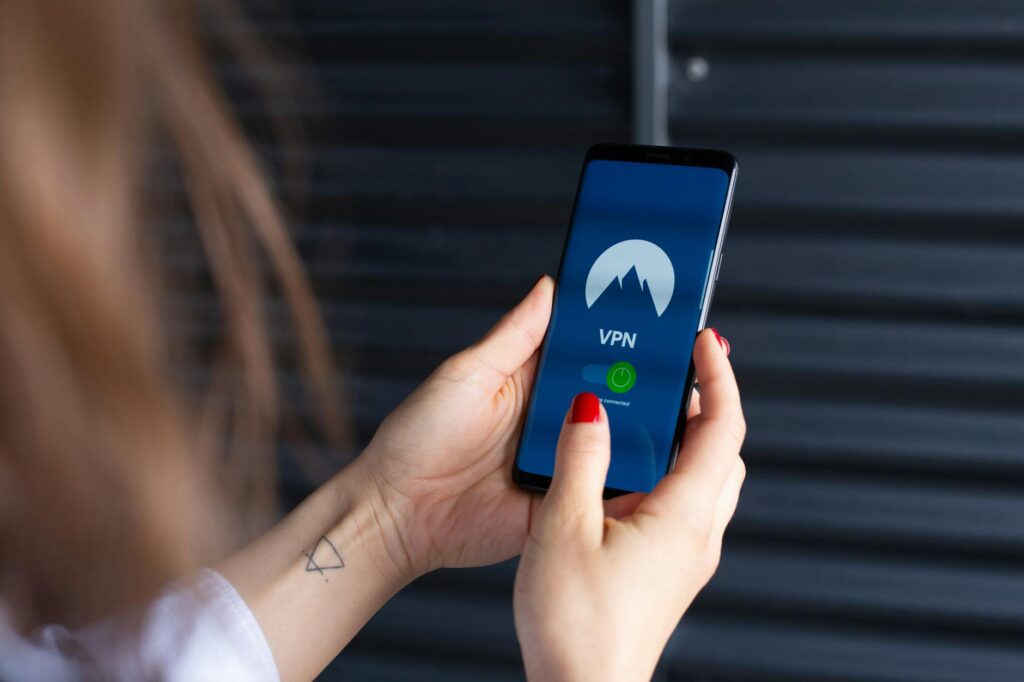
Premium Virtual Private Network (VPN) services are widely considered the most reliable and complete method for private internet browsing in the UK. Independent tests of numerous services consistently show that a select few deliver on their privacy promises. According to TechRadar’s 2026 review, a good VPN should offer strong encryption protocols (like OpenVPN or WireGuard), a strict, independently audited no-logs policy, and a reliable kill switch feature. Reports indicate that premium VPNs typically cause an average speed reduction of around 15%, a minor trade-off for significant privacy gains. In contrast, free VPN services can drastically slow down your connection, sometimes by 60-80%, and often come with questionable logging practices or data selling.
Key features to look for include an automatic kill switch — which severs your internet connection if the VPN connection drops, preventing data leaks. DNS leak protection is also vital, ensuring your DNS requests are routed through the VPN’s encrypted tunnel. And — consider the geographic distribution of servers. connecting to servers in countries with solid privacy legislation, like Switzerland or the Netherlands, is often reported to provide a good balance of speed and privacy for UK users. As reported by TheBestVPN.com in April 2026, Private Internet Access (PIA) VPN continues to be a standout choice for users with specific privacy needs, offering a vast server network and strong security features. TechRadar’s general assessment for 2026 also indicates that trusted iPhone VPNs are essential, as noted by Macworld on February 12, 2026, highlighting the need for secure mobile browsing solutions. WIRED reported in July 2025 that age verification laws are sending VPN use soaring, underscoring their importance for maintaining access to an open and private internet.
Tor Browser: Maximum Anonymity
The Tor Browser offers a very high level of anonymity by routing your internet traffic through a volunteer overlay network consisting of thousands of relays worldwide. This multi-layered encryption makes it exceptionally difficult to trace your online activity back to you. It’s especially useful for sensitive research, whistleblowing, or accessing information in restrictive environments. However, this enhanced anonymity comes at the cost of speed.
Users report that browsing speeds can drop sometimes to approximately 20% of normal speeds. This means web pages that typically load in 2 seconds might take 8-12 seconds, or even longer depending on network congestion and the number of relay hops. For activities where absolute privacy is really important, this trade-off is often considered worthwhile. it’s Key to understand the limitations and best practices when using Tor.
Important: Never download files or enable JavaScript plugins within Tor Browser, as these actions can potentially compromise your anonymity by revealing your IP address or creating vulnerabilities. Experts strongly advise against using Tor for everyday browsing activities such as logging into social media accounts, online banking, or using services like Google. Doing so can link your anonymized activity to your real identity, defeating the purpose of using Tor for privacy.
Privacy-Focused Browsers
Switching to a privacy-focused browser can make an immediate and positive impact on your online privacy without requiring complex configurations. Based on independent tests and user reviews, Brave consistently blocks many intrusive trackers and ads by default, while maintaining good usability and speed. As PCMag UK reported in November 2025, the combination of a privacy-focused browser and an effective ad/tracker blocker is one of the most accessible ways to prevent the collection of substantial amounts of user data. PCMag UK’s November 2025 report, “Lose the Trackers: The Best Private Browsers for 2026”, reinforces this, emphasizing the need for effective, built-in tracker blocking mechanisms.
Mozilla Firefox, when configured with strict privacy settings, also ranks highly among privacy-conscious users. Users are advised to disable telemetry reporting, enable enhanced tracking protection set to ‘Strict’, and consider using features like Firefox Multi-Account Containers to isolate different browsing activities and prevent cross-site tracking. It’s key to configure these browsers properly, as default settings may not offer sufficient protection against sophisticated tracking techniques employed today. Other browsers like DuckDuckGo Privacy Browser for mobile also offer strong built-in privacy features.
DNS Over HTTPS
DNS Over HTTPS (DoH) is a protocol that encrypts your DNS queries, preventing your ISP and potentially other network observers from seeing the specific websites you visit. Normally, when you type a website address, your device sends a DNS request to your ISP’s servers to translate the domain name into an IP address. This request is typically unencrypted. DoH encrypts these requests, sending them to a DoH-compatible DNS resolver instead.
Configuring DoH, for example, with services like Cloudflare’s 1.1.1.1 or Google’s 8.8.8.8, can be done within the settings of many modern browsers (like Chrome, Firefox, Edge) or operating systems. This process typically takes a few minutes and offers significant privacy benefits by obscuring your browsing destinations from your ISP. While your ISP can still see that you’re connecting to the internet, the volume of data transferred, and the timing of your connections, they can’t decipher the content of your DNS requests, meaning they can’t easily log every site you look up.
it’s worth knowing that combining DoH with a VPN is generally unnecessary for most users, as a reputable VPN service will typically handle DNS queries securely through its own encrypted tunnel. DoH is most beneficial when a VPN can’t be used, or as an additional layer of security if you’re concerned about your ISP’s DNS handling.
Proxy Servers (With Limitations)
Proxy servers act as intermediaries between your device and the internet. When you send a request, it goes to the proxy server first — which then forwards it to the destination server. You can mask your IP address from the websites you visit. However, free proxy servers are often found to be risky and unreliable. Studies and security analyses indicate that a high percentage of free proxies log user data, potentially including browsing history and personal information. Some malicious free proxies may even inject ads, malware, or redirect users to phishing sites.
Premium proxy services can have legitimate uses, such as accessing geo-restricted content or bypassing simple network filters when full VPN encryption isn’t required. However, You need to to remember that most proxy servers, unlike VPNs, don’t encrypt your traffic. This means your data is still vulnerable to interception by your ISP or anyone monitoring your network, especially on unencrypted networks. For solid privacy and security, VPNs are generally a superior choice over proxies.
Strategic Public WiFi Use
Using public WiFi networks, such as those found in cafes, airports, and libraries, can be a double-edged sword for privacy. On the one hand, connecting through public WiFi can mask your home IP address, making it harder for websites to track your location back to your residence. This method can be effective for activities requiring an extra layer of anonymity, as your traffic appears to originate from the public network’s IP address rather than your home connection.
The recommended approach for using public WiFi securely and privately involves connecting through a VPN before you establish a connection to the public network. This ensures that all your traffic is encrypted from your device, protecting it from potential eavesdroppers on the same public network. Without a VPN, public WiFi is notoriously insecure, with risks ranging from man-in-the-middle attacks to packet sniffing. If you must use public WiFi without a VPN, stick to HTTPS-encrypted websites (look for the padlock in the address bar) and avoid accessing sensitive accounts like online banking or email.
Mobile Data as Backup
In situations where public WiFi is unavailable or untrusted, using your mobile data plan can serve as a more private alternative. Your mobile carrier typically has fewer incentives to monitor or log your individual browsing habits compared to some ISPs, although they do collect connection metadata. When you use your mobile data, your traffic is routed through your carrier’s network — which is generally more secure than open public WiFi hotspots.
For enhanced privacy, you can further secure your mobile data connection by using a VPN. Many VPN providers offer dedicated mobile apps for both iOS and Android devices. By connecting to a VPN server via your mobile data, you encrypt your traffic and mask your IP address, providing a similar level of privacy as you would get on a wired connection. This combination offers a strong privacy solution, especially when you’re on the go and need to access sensitive information or browse privately.
Mistakes That Kill Your Privacy
Even with the best tools, certain habits can undermine your online privacy. One of the most common mistakes is failing to keep software updated. Outdated browsers, operating systems, and applications often contain security vulnerabilities that can be exploited by trackers and malicious actors. Regularly applying software updates is critical for patching these holes.
Another significant error is reusing passwords across multiple websites. If one account is compromised, attackers can gain access to many others. Using a unique, strong password for every online service, ideally managed by a reputable password manager, is essential. Also, oversharing information on social media platforms and failing to review app permissions on your mobile devices can lead to unintended data exposure. Be mindful of what information you share online and regularly audit the permissions granted to your applications.
Finally, accepting default settings on browsers and devices without understanding their privacy implications is a common pitfall. Many services collect more data than necessary by default. Taking the time to adjust privacy settings, disable unnecessary tracking, and choose privacy-focused alternatives can make a substantial difference.
Frequently Asked Questions
Is it legal to use a VPN in the UK?
Yes, it’s perfectly legal to use a VPN in the UK. VPNs are legitimate tools used for enhancing privacy and security online. While using a VPN is legal, engaging in illegal activities while using one remains illegal.
Can my ISP see my browsing history if I use a VPN?
No, if your VPN is configured correctly and isn’t leaking your IP address or DNS requests, your ISP can’t see your browsing history. They can only see that you’re connected to a VPN server and the volume of data being transferred, but not the specific websites you visit or the content of your traffic.
Are free VPNs safe to use in the UK?
Free VPNs are generally not recommended for privacy-conscious users. Many free VPNs log user data, sell browsing habits to advertisers, display intrusive ads, or have weak security protocols. Premium VPNs, while requiring a subscription, offer better privacy, security, and performance.
How can I check if my VPN is working correctly?
You can check if your VPN is working by performing an IP address check and a DNS leak test. Visit websites like `ipleak.net` or `dnsleaktest.com` while connected to your VPN. Your IP address should show the server location of your VPN, not your actual location, and there should be no DNS leaks detected.
what’s the difference between a VPN and a proxy server?
A VPN encrypts all your internet traffic and routes it through a secure server, offering complete privacy and security. A proxy server typically only routes specific application traffic (like web browsing) and usually doesn’t encrypt your data, offering limited privacy benefits and no security enhancements.
Conclusion
Protecting your online privacy in the UK requires a multi-faceted approach. While no single method offers absolute anonymity, combining tools like premium VPN services, privacy-focused browsers, and mindful browsing habits can reduce your digital footprint. By capabilities and limitations of each method, and by staying informed about the latest privacy technologies and threats, UK users can take meaningful steps to browse the internet more privately and securely in 2026 and beyond.


