
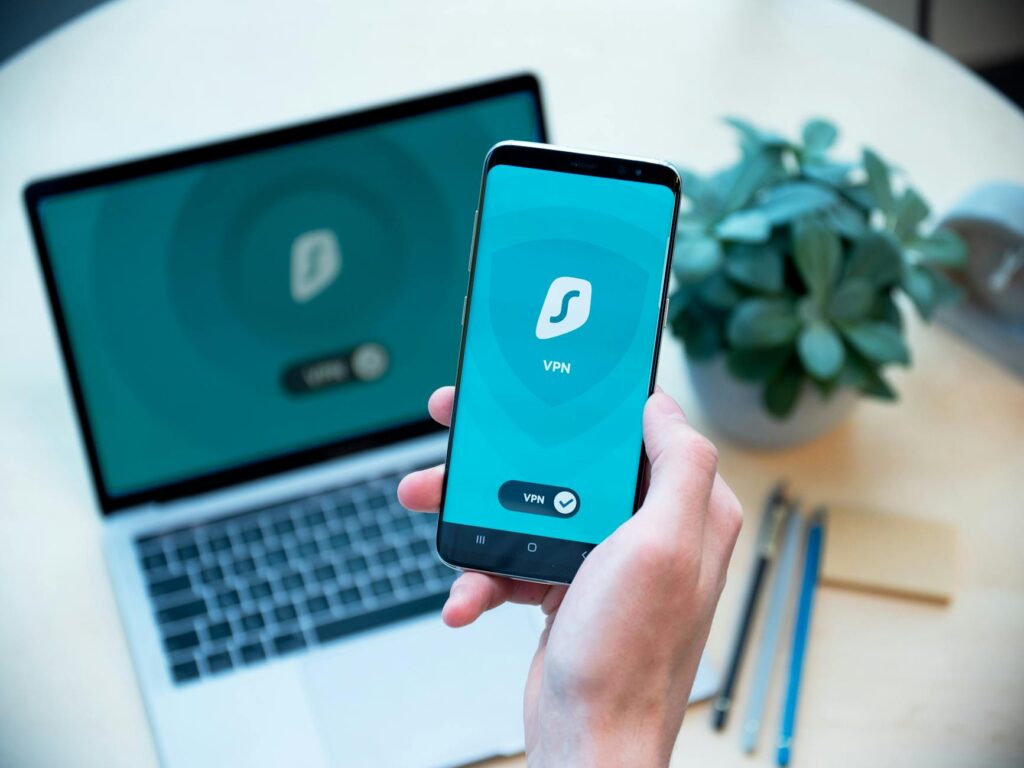
Learning how to hide your IP address is one of the simplest yet most effective ways to enhance your online privacy and security in 2026. Your IP address, much like a digital return address, can reveal your approximate geographical location, your Internet Service Provider (ISP), and even provide insights into your browsing habits and online activities. Fortunately, you don’t need to be a tech wizard to significantly reduce this digital footprint. What you do need is the right method and a clear understanding of common pitfalls that can undermine your privacy efforts. This comprehensive guide will walk you through the best strategies for masking your IP address, explain how each method works, and highlight frequent errors that expose your real IP. Whether your goal is anonymous browsing, securing your connection on public Wi-Fi, or minimizing tracking by websites and advertisers, this guide is your starting point.
Latest Update (April 2026)
As of April 2026, the digital privacy landscape continues to evolve, with tracking technologies becoming more sophisticated. Recent reports, such as those from AIMultiple, indicate a growing need for users to understand IP hiding techniques, especially with the widespread adoption of operating systems like Windows 11 and mobile devices such as the iPhone 17 and latest Android versions. Websites like TheBestVPN.com and CNET have recently published step-by-step guides emphasizing the importance of choosing reliable VPNs and understanding the nuances of different IP masking methods. Cloudwards also highlights the availability of free options in 2026, though cautioning users about potential trade-offs in security and privacy with less reputable services. Gizmodo’s recent analysis of IP change tricks underscores that while various methods exist, their effectiveness and security vary significantly.
What an IP Address Is and Why It Matters
An Internet Protocol (IP) address is a unique numerical label assigned to every device connected to a network that uses the Internet Protocol for communication. It serves as both an identifier and a location locator for devices on the internet, functioning analogously to a postal address for mail. When you visit a website or use an online service, your device sends its IP address to the server, allowing the server to send the requested data back to the correct destination.
For most home users, the IP address assigned by their ISP is a public IP address. This address typically points to a general geographic region and can be logged by websites, network administrators, and even your ISP. This logging capability is why terms like IP masking, IP concealment, IP address hiding, and online privacy protection are increasingly searched for by internet users. Understanding the implications of IP tracking is crucial for maintaining digital privacy.
Currently, two primary versions of IP addresses are in widespread use: IPv4 and IPv6. While IPv4 remains common, the internet is gradually transitioning to IPv6 due to the exhaustion of IPv4 addresses and the increasing number of internet-connected devices. Regardless of the version, the fundamental privacy concern remains the same: if a website or online service can see your IP address, it can potentially gather more information about you than you are comfortable sharing.
Stat: A 2026 review from multiple privacy research sources found that tracking tools are more effective when they can pair IP data with cookies, browser fingerprinting, and account logins, creating a more comprehensive user profile.
Why People Hide Their IP Address
The motivations for hiding an IP address are varied and often practical, ranging from personal privacy to security and access. The primary driver for most users is enhancing online privacy. When your IP address is visible to websites, applications, or advertising networks, this data can be used to construct a detailed profile based on your location and browsing habits, leading to targeted advertising and potential data exploitation.
Security is another significant concern. Masking your IP address can offer a layer of defense against direct online attacks, such as certain types of network scanning, denial-of-service (DoS) attempts, and targeted harassment. While it’s not a foolproof security solution, it demonstrably reduces your exposure to such threats.
Furthermore, many individuals use IP hiding tools to bypass geo-restrictions, allowing them to access streaming services, websites, or online content that might be unavailable in their current geographic location. This is often referred to as geo-restriction bypass or location masking. Others seek to reduce the pervasive tracking by advertisers and data brokers, minimize location-based advertising, or gain greater control over their data sharing, particularly when using unsecured public Wi-Fi networks.
In summary, the most common goals for hiding an IP address include:
- Protecting overall online privacy.
- Reducing data collection by advertisers and data brokers.
- Improving anonymity while browsing the internet.
- Using public Wi-Fi networks with reduced exposure to snooping.
- Accessing geo-restricted content while traveling.
- Limiting location-based profiling and targeted advertising.
Achieving these goals effectively hinges on the method chosen. Not all tools offer the same level of protection or cover all internet traffic from your device. Some solutions only mask your IP within a specific web browser, while others protect all traffic originating from your device. Understanding this distinction is key to avoiding common mistakes, as highlighted by CNET’s recent advice on simple methods for changing your IP address.
Best Ways to Hide Your IP Address in 2026
To reliably hide your IP address, several methods are available, each with its own strengths and weaknesses. The most popular and effective options for most users in 2026 are Virtual Private Networks (VPNs), the Tor Browser, and proxy servers. As reported by TheBestVPN.com, choosing the right method depends on your specific needs for privacy, security, and usability.
1. Use a Virtual Private Network (VPN)
A Virtual Private Network (VPN) is widely considered the most versatile and user-friendly solution for IP masking. When you connect to a VPN, your internet traffic is routed through an encrypted tunnel to a remote server operated by the VPN provider. Websites and online services you visit will see the IP address of the VPN server, not your actual IP address. This effectively masks your IP across most applications and websites on your device, not just within a single browser tab.
VPNs are particularly valuable for enhancing security on public Wi-Fi networks by encrypting your data, making it unreadable to potential eavesdroppers. They can also obscure your browsing activity from your ISP. Many reputable VPN providers offer a strict no-logs policy, meaning they do not store records of your online activities, further bolstering your privacy. As noted by AIMultiple, VPNs are essential tools for users of modern operating systems and mobile devices like the iPhone 17 and Android.
What to look for in a VPN in 2026:
- Strong Encryption: Look for AES-256 encryption, the industry standard.
- Clear No-Logs Policy: Ensure the provider has a verifiable policy against logging user data. Independent audits are a good sign.
- Kill Switch: This feature automatically disconnects your device from the internet if the VPN connection drops, preventing accidental IP leaks.
- DNS Leak Protection: Confirms that your DNS requests are also routed through the VPN tunnel.
- Multiple Server Locations: A wide network of servers offers flexibility for bypassing geo-restrictions and finding faster connections.
- Good Performance: Fast speeds are essential for streaming, gaming, and general browsing.
Best for: Everyday privacy, remote work, travel, securing public Wi-Fi connections, and general anonymous browsing.
2. Use Tor Browser
The Tor (The Onion Router) Browser is designed with anonymity as its primary goal. It routes your internet traffic through a series of at least three volunteer-operated relay servers, with each relay only knowing the IP address of the previous and next relay. This multi-layered approach makes it extremely difficult to trace your connection back to its origin, offering a high level of IP address obfuscation.
While Tor provides a robust privacy shield, it comes with trade-offs. The multiple hops significantly slow down internet speeds compared to a VPN. Additionally, some websites may block Tor traffic entirely, or present CAPTCHAs more frequently, due to its association with anonymity and potential misuse. Despite these drawbacks, Tor is an excellent choice for sensitive research, whistleblowing, or any situation where maximum anonymity is paramount and speed is a secondary concern. As Cloudwards suggests, understanding the limitations of free tools like Tor is important for managing expectations.
Best for: High-privacy needs, investigative journalism, sensitive research, and situations where anonymity is prioritized over speed.
3. Use a Proxy Server
A proxy server acts as an intermediary between your device and the internet. When you use a proxy, your traffic is sent to the proxy server, which then forwards it to the destination website, using its own IP address. This can mask your IP address for specific applications or browser sessions.
Proxies are generally less secure and less private than VPNs. Most standard proxy servers (like HTTP proxies) do not encrypt your traffic, leaving your data vulnerable to interception, especially on public Wi-Fi. While some advanced types like SOCKS5 proxies offer better versatility, and residential proxies can be effective for masking, they often lack the comprehensive encryption and security features of a VPN. For most everyday users seeking robust privacy, proxies are a less secure option. Gizmodo’s recent analysis points out that while various IP change tricks exist, their reliability varies.
Best for: Simple traffic routing, light location masking for specific tasks, and niche application use cases where full encryption isn’t critical.
Common Mistakes That Expose Your Real IP
Many users implement privacy tools like VPNs with the expectation of complete anonymity, only to find their real IP address or identity exposed through common oversights. As detailed by CNET and other tech publications in early 2026, these mistakes often stem from a misunderstanding of how these tools work or a failure to configure them correctly.
Using a VPN but Leaving Leaks Unchecked
One of the most significant mistakes is using a VPN without ensuring it properly prevents IP leaks. Several types of leaks can occur:
- IP Address Leaks: These happen when your real IP address is still transmitted outside the VPN tunnel. This can occur due to misconfigurations or the absence of a kill switch.
- DNS Leaks: Your Domain Name System (DNS) requests, which translate website names into IP addresses, might be sent to your ISP’s DNS servers instead of through the VPN. This reveals the sites you are visiting to your ISP.
- WebRTC Leaks: Real-Time Communication (RTC) features in web browsers (used for video chat and file sharing) can sometimes reveal your local and public IP addresses, even when a VPN is active.
Solution: Always choose a VPN with built-in DNS and WebRTC leak protection. Test your VPN connection regularly using online leak testing tools to confirm it’s functioning correctly.
Relying Solely on Browser-Based IP Hiding
Some privacy tools, like certain web proxies or browser extensions, only mask your IP address within that specific browser. However, other applications on your device (email clients, desktop apps, system updates) will continue to use your real IP address. This creates an inconsistent privacy shield.
Solution: For comprehensive protection, use a VPN application that routes all your device’s internet traffic through the encrypted tunnel.
Using Free VPNs or Proxies with Caution
While options like free VPNs and proxies are tempting, as highlighted by Cloudwards, they often come with significant privacy risks. Many free services monetize their user base by logging browsing data, selling it to advertisers, injecting ads, or even containing malware. Their security infrastructure is often weak, and they may lack essential features like a kill switch or leak protection.
Solution: Opt for reputable, paid VPN services with strong privacy policies and transparent operations. If free options are necessary, exercise extreme caution and understand the potential data trade-offs.
Not Updating Software or Keeping Browsers Outdated
Outdated software, including operating systems, browsers, and VPN applications, can contain security vulnerabilities that attackers can exploit to bypass privacy measures or gain access to your system. As AIMultiple points out, keeping systems like Windows 11 and mobile OSs updated is critical.
Solution: Enable automatic updates for your operating system, browser, and VPN client. Regularly check for and install any available security patches.
Logging into Accounts While Using IP Hiding Tools
When you log into personal accounts (e.g., Google, Facebook, email) while using an IP masking tool, you associate your online activity with your real identity. While your IP might be hidden from the website’s direct view, the platform can still link your session to your existing user profile. The combination of IP data with account information, as noted by privacy researchers, significantly enhances tracking capabilities.
Solution: For truly anonymous browsing, avoid logging into personal accounts. If necessary, use separate browsers or profiles for anonymous sessions versus logged-in sessions.
Ignoring Browser Fingerprinting Techniques
Beyond IP addresses, websites employ sophisticated techniques like browser fingerprinting to track users. This involves collecting unique characteristics of your browser and device (e.g., screen resolution, installed fonts, browser plugins) to create a unique identifier, even if your IP address changes.
Solution: While VPNs and Tor offer some protection, consider using privacy-focused browsers (like Brave or Firefox with enhanced privacy settings) and browser extensions designed to combat fingerprinting. Tor Browser inherently offers strong resistance to fingerprinting.
How to Choose the Right Method
Selecting the most appropriate method for hiding your IP address depends heavily on your individual needs and threat model. There isn’t a one-size-fits-all solution, and understanding the strengths and weaknesses of each option is key.
- For General Privacy and Security: A reputable VPN is usually the best choice. It offers a good balance of security, ease of use, and performance, covering all your device’s traffic. Look for providers with strong encryption, a strict no-logs policy, and features like a kill switch.
- For Maximum Anonymity: If your primary concern is achieving the highest level of anonymity, especially for sensitive activities, the Tor Browser is the superior option. Be prepared for slower speeds and potential website blocks.
- For Specific, Low-Risk Tasks: A proxy server might suffice for simple tasks like accessing geo-restricted content on a single website or masking your IP for a specific application where encryption isn’t critical. However, exercise caution due to generally weaker security.
Consider the following questions when making your decision:
- What level of privacy do I need?
- Am I concerned about general tracking, targeted attacks, or both?
- How important are internet speed and usability to me?
- Will I be using public Wi-Fi frequently?
- What is my budget? (Reputable VPNs usually require a subscription).
As TheBestVPN.com recently outlined, a step-by-step approach often involves first identifying your core needs, then researching options that meet those criteria, and finally, testing the chosen solution to ensure it functions as expected and doesn’t introduce unintended leaks.
Frequently Asked Questions
What is the easiest way to hide my IP address?
The easiest way for most users to hide their IP address is by using a Virtual Private Network (VPN). Reputable VPN services offer user-friendly applications for various devices that allow you to connect to a secure server with just a few clicks. This automatically masks your IP address and encrypts your internet traffic.
Are free VPNs safe to use for hiding my IP?
Free VPNs often come with significant risks, as reported by various tech sites like Cloudwards. Many log your browsing data, sell it to advertisers, display intrusive ads, or may not provide adequate encryption, leaving you vulnerable. Some may even contain malware. While a few reputable VPNs offer limited free tiers, it’s generally recommended to use a trusted, paid VPN service for reliable privacy and security.
Can hiding my IP address make me completely anonymous online?
While hiding your IP address significantly enhances your privacy, it does not guarantee complete online anonymity. Other tracking methods like browser cookies, fingerprinting, and account logins can still be used to identify you. For a higher degree of anonymity, combining IP masking with privacy-focused browsers and cautious online behavior is necessary.
Does hiding my IP address affect my internet speed?
Yes, hiding your IP address can affect your internet speed. VPNs and the Tor network route your traffic through additional servers, which can introduce latency and reduce download/upload speeds. The extent of the speed reduction depends on the method used, the distance to the server, server load, and the encryption strength. Reputable VPNs strive to minimize speed loss.
Is it legal to hide my IP address?
In most countries, it is perfectly legal to hide your IP address using methods like VPNs or Tor. These tools are widely used for legitimate purposes such as enhancing privacy, securing data, and bypassing censorship. However, using these tools for illegal activities remains illegal.
Conclusion
In 2026, taking proactive steps to hide your IP address is an essential component of maintaining online privacy and security. While the digital world offers unparalleled connectivity, it also presents risks related to tracking, data collection, and potential security threats. By understanding what an IP address is and why it matters, you can better appreciate the need for privacy tools. Methods like VPNs, the Tor Browser, and proxy servers offer viable solutions, each with distinct advantages. However, as highlighted by recent analyses from sources like CNET and AIMultiple, the effectiveness of these tools hinges on correct usage and avoiding common mistakes such as ignoring leaks, relying on inadequate free services, or failing to keep software updated. Choosing the right method based on your specific needs, as advised by resources like TheBestVPN.com, and implementing it carefully will significantly bolster your defenses against online tracking and enhance your overall digital security.


