
Anonymous Internet UK: Practical Privacy Guide for 2026
Anonymous internet UK is about reducing how easily websites, advertisers, your Internet Service Provider (ISP), and data brokers can link your online activity back to your real identity. Recent developments highlight the increasing sophistication of tracking technologies and the challenges they pose to online privacy. The good news is that you can significantly enhance your privacy without adopting an overly technical or isolated online lifestyle.
Latest Update (April 2026)
As of April 2026, the digital privacy landscape continues to evolve rapidly. A significant concern highlighted by recent reports, such as those from EL PAÍS English, is the impact of Artificial Intelligence (AI) on online anonymity. AI is increasingly being used to unmask pseudonymous accounts, making it harder than ever to maintain a distinct online persona separate from one’s real identity. This trend necessitates a more robust and multi-layered approach to privacy than was previously sufficient. Furthermore, regulatory bodies like the Information Commissioner’s Office (ICO) in the UK continue to emphasize the importance of data protection, with organizations reporting a substantial number of data security incidents annually, underscoring the ongoing risks of personal data exposure.
In plain terms, the most effective path to enhanced anonymous internet UK browsing involves a layered security setup. This typically includes using a trustworthy Virtual Private Network (VPN), opting for privacy-focused browsers, implementing robust tracker blocking, and adopting digital habits that prevent the linkage of personal accounts to sensitive searches. While no single solution guarantees absolute anonymity, this combined approach can substantially reduce routine tracking and make detailed user profiling considerably more difficult.
What’s Anonymous Internet UK?
Anonymous internet UK refers to browsing online in a manner that minimises the identifiable signals associated with your activity. This includes masking your IP address, reducing the effectiveness of browser fingerprinting, managing cookies, limiting search history correlation, and preventing the linkage of your online actions to personal accounts. It’s important to understand that this is not synonymous with being completely untraceable. Your online behaviour patterns, device characteristics, and account login activities can still potentially reveal your identity, even with privacy measures in place.
Why This Matters in the UK
The United Kingdom boasts strong data protection regulations, notably the UK General Data Protection Regulation (UK GDPR). However, these regulations do not inherently prevent the pervasive data collection practices of the advertising technology (adtech) industry, website trackers, data brokers, or the inherent risks associated with data breaches. The Information Commissioner’s Office (ICO) serves as the UK’s primary regulator for data protection. The ICO regularly issues warnings and guidance, highlighting that personal data can be collected and used in ways that individuals may not anticipate or fully understand. According to the ICO’s official data, organisations reported 29,403 data security incidents in the year 2023 alone, illustrating the frequent instances of personal data being exposed or mishandled. This underscores the critical need for proactive privacy measures.
How Can I Browse Anonymously in the UK?
Achieving a higher degree of online anonymity in the UK requires a combination of appropriate tools and mindful digital habits. Relying on a single application or service is generally insufficient. A layered approach is widely considered the only realistic method for obtaining significant anonymous internet UK privacy in 2026.
Step 1: Start with a Privacy-First Browser Profile
Begin by establishing a dedicated browser profile specifically for private browsing sessions. It is advisable to disable browser synchronisation features across devices unless absolutely essential for your workflow. Implement settings to automatically clear cookies upon exiting the browser, or utilise advanced features like container tabs in browsers such as Firefox, which isolate website data into separate containers. Actively block third-party cookies and carefully manage site permissions, granting them only when strictly necessary.
Step 2: Add a Reputable VPN
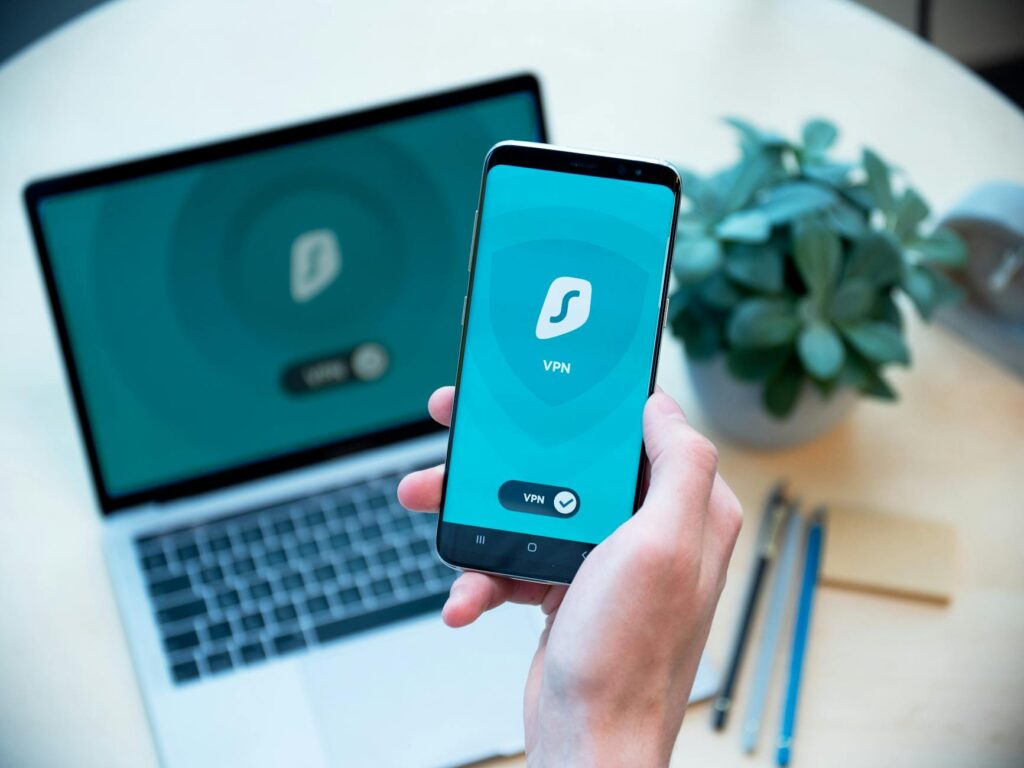
A reputable Virtual Private Network (VPN) is a cornerstone of online privacy. It masks your IP address from the websites you visit and your ISP by encrypting all internet traffic between your device and the VPN server. For optimal privacy, experts recommend VPN providers that openly publish independent security audits and adhere to a strict no-logs policy. Providers such as Proton VPN, Mullvad, and IVPN are frequently cited for their commitment to user privacy. A clear and verifiable no-logs policy is generally considered more critical than extensive marketing claims.
Step 3: Use Tor for Higher-Risk Searches
For activities requiring a heightened level of anonymity, such as sensitive personal research, journalism, or whistleblowing, the Tor Browser is the most robust mainstream tool available. Tor routes your internet traffic through a decentralised network of volunteer-operated relays, making it exceptionally difficult to trace your online activity back to its origin. It is crucial to avoid logging into personal accounts while using the Tor Browser if your objective is to maintain anonymity. As EL PAÍS English recently reported, advancements in AI are making it easier to unmask pseudonymous online identities, further reinforcing the need for tools like Tor for truly sensitive activities.
What Tools Are Best for Anonymous Internet UK?
The selection of the most effective tools for anonymous internet UK browsing depends largely on your individual threat model and the level of privacy required. For the majority of UK internet users, a combination of a privacy-enhanced browser like Brave or Firefox, coupled with a reputable VPN, offers a solid baseline of protection. For those seeking a higher degree of anonymity, the Tor Browser remains the gold standard.
| Tool | Best For | Strengths | Trade-offs |
|---|---|---|---|
| Proton VPN | Everyday privacy | Encrypts traffic, hides IP, user-friendly interface | Does not provide absolute anonymity on its own |
| Mullvad | Low-profile privacy | Strong reputation for privacy, simple account management | Some websites may flag or block VPN traffic |
| Tor Browser | Maximum anonymity | Extremely difficult to trace, strong anti-fingerprinting capabilities | Can result in slower browsing speeds, some websites block Tor users |
| Brave Browser | Private daily browsing | Built-in tracker blocking, sensible default privacy settings | Can still be identified as a ‘normal’ browser if not used carefully; potential for user error |
| Firefox | Customisable privacy setup | Highly flexible, offers strong privacy when manually configured and hardened | Requires manual configuration and tuning for optimal privacy |
What About Search Engines?
When privacy is a concern, privacy-focused search engines such as DuckDuckGo, Startpage, and Brave Search are generally preferable to using a logged-in Google session. These alternatives are designed to reduce user profiling and minimise the tracking associated with search queries. While they do not eliminate all network-level traces, they provide a significantly more private starting point for web research, particularly when you wish to avoid linking searches to your account history. As noted by the Knight First Amendment Institute, issues surrounding anonymity, identity, and the dissemination of information are increasingly complex in the digital age, making informed search choices paramount.
A subtle detail that many users overlook is browser fingerprinting. Even when cookies are blocked, sophisticated fingerprinting techniques can still be employed to identify and track users across different websites. This is why features that enhance anti-fingerprinting capabilities, such as controlling font rendering and minimising the use of browser extensions, are important. An excessive number of extensions, ironically, can make your browser profile more unique and thus easier to spot, rather than harder.
What Doesn’t Work Well for Anonymity?
Several commonly misunderstood tools and practices offer little to no genuine anonymity. It is crucial to be aware of these limitations to avoid false senses of security.
Incognito Mode Limitations
Using your browser’s ‘Incognito’ or ‘Private Browsing’ mode alone does not render you anonymous online. Its primary function is to prevent your browser from storing your browsing history, cookies, and site data locally on your device after the session ends. However, your Internet Service Provider (ISP), the websites you visit, and third-party advertisers can still monitor your online activities. Your IP address remains visible, and tracking through other means is still possible.
Common Mistakes to Avoid
To maintain a reasonable level of online privacy, users should actively avoid the following common pitfalls:
- Using the same email address or online identity for both private and public activities.
- Logging into major personal accounts (e.g., Google, Meta, X) during sensitive research sessions.
- Installing a large number of browser extensions, which can increase fingerprinting risks.
- Trusting free VPN services with unclear business models or privacy policies.
- Sharing excessive personal information, such as precise location, phone number, or contacts, with applications and websites without a clear need.
Free VPNs, in particular, warrant extreme caution. Unless a service has a demonstrably transparent and privacy-respecting business model, it’s highly probable that your browsing data is being collected and potentially sold. As the saying goes, if you’re not paying for the product, you are often the product yourself, and your online traffic can become the commodity.
Is Anonymous Browsing Legal in the UK?
Yes, employing tools and techniques for anonymous browsing is entirely legal in the UK. Utilizing VPNs, the Tor Browser, privacy-focused browsers like Brave and Firefox, and privacy-respecting search engines are all legitimate practices. The legality hinges not on the tools themselves, but on the activities conducted while using them. Engaging in illegal activities online remains illegal, regardless of the privacy measures employed. As The House of Commons Library has discussed in relation to online anonymity and abuse, while tools exist to protect identity, they do not grant immunity from the law for unlawful actions.
Frequently Asked Questions
Is using a VPN enough for anonymous browsing in the UK?
While a reputable VPN is a crucial component of online privacy, it is generally not sufficient on its own for complete anonymity. A VPN masks your IP address and encrypts your traffic, but it doesn’t prevent website tracking through cookies, browser fingerprinting, or account logins. For enhanced anonymity, it should be used in conjunction with privacy-focused browsers, tracker blockers, and cautious browsing habits.
Can I be truly anonymous online with Tor Browser?
Tor Browser offers the highest level of mainstream anonymity available, making it very difficult to trace your activity. However, ‘true’ or ‘perfect’ anonymity is an elusive concept online. Sophisticated adversaries might still find ways to de-anonymise users, especially if the user makes mistakes like logging into personal accounts or using vulnerable configurations. It significantly enhances privacy but doesn’t guarantee absolute untraceability in all scenarios.
What are the risks of using free VPNs in the UK?
Free VPNs often come with significant privacy risks. Many log user data, sell browsing histories to advertisers, inject ads into traffic, or even contain malware. If a VPN service is free, it’s highly likely that your data is its primary source of revenue. Reputable paid VPNs with audited no-logs policies are strongly recommended for any serious attempt at online privacy.
How does AI impact online anonymity in 2026?
According to recent reports like those from EL PAÍS English, AI is increasingly capable of unmasking pseudonymous online accounts. AI algorithms can analyse patterns, writing styles, and metadata to link seemingly anonymous profiles to real individuals. This development makes it harder to rely solely on pseudonyms for privacy and necessitates stronger technical and behavioural safeguards.
Should I disable JavaScript for better anonymity?
Disabling JavaScript can improve anonymity by breaking many tracking scripts and reducing browser fingerprinting vectors. However, it also significantly degrades the functionality of many websites, making them unusable. Modern privacy-focused browsers and extensions offer more balanced approaches, selectively blocking scripts or offering hardened modes that provide privacy benefits with less impact on usability.
Conclusion
Achieving a robust level of anonymous internet UK browsing in 2026 requires a strategic, layered approach. By combining a trusted VPN, a privacy-conscious browser, effective tracker blocking, and mindful online habits—especially regarding account linkages and sensitive searches—users can significantly enhance their digital privacy. While the digital landscape is constantly evolving, with new challenges like AI-powered deanonymisation emerging, proactive and informed choices empower individuals to protect their personal information and maintain greater control over their online footprint. Staying informed about privacy tools and best practices, as advised by regulatory bodies and security experts, is key to navigating the complexities of online anonymity effectively.


