
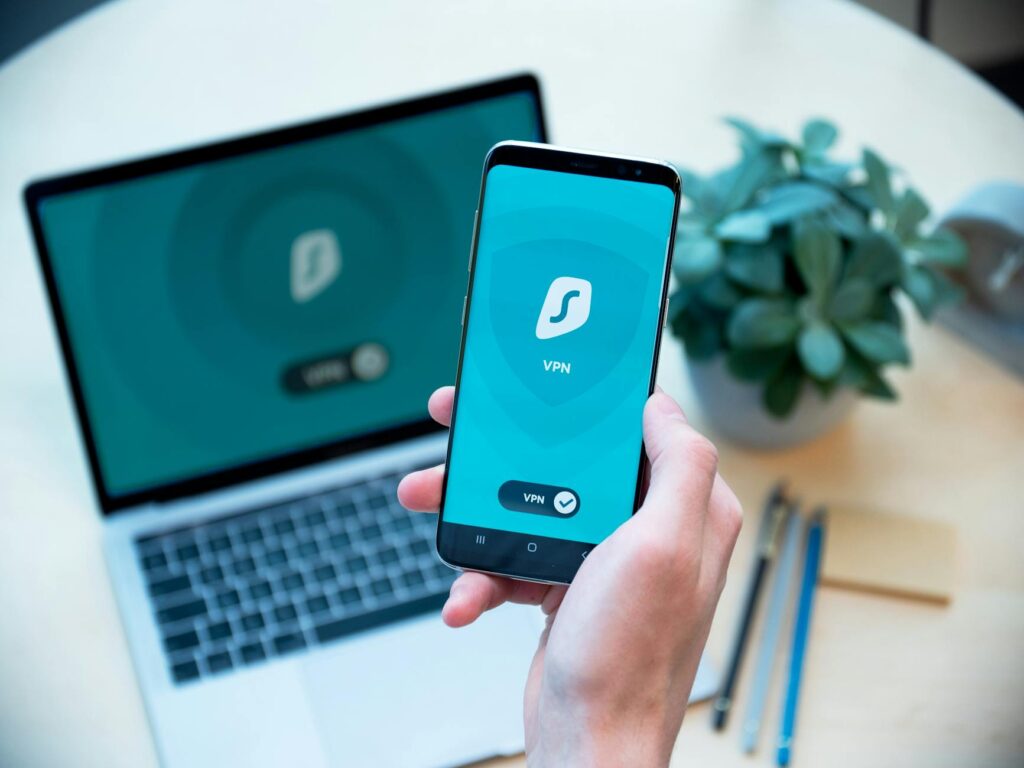
In 2026, difference between private browsing and using a Virtual Private Network (VPN) is more critical than ever for safeguarding your online presence. Many individuals still mistakenly believe that incognito or private browsing modes offer complete anonymity. However, these browser features primarily limit local data storage on your device, doing little to conceal your online activities from your Internet Service Provider (ISP), websites, or network administrators. A VPN, But — operates at a much deeper network level, altering how your internet traffic is routed and secured, thereby protecting your privacy, enhancing security, and masking your geographical location.
Latest Update (April 2026)
Recent analyses and expert opinions continue to highlight the limitations of private browsing modes. As reported by How-To Geek in April 2026, incognito mode “doesn’t do what you think it does,” primarily serving to prevent your browser from saving history, cookies, and site data locally. Similarly, TechRadar noted in late 2025 that incognito mode “isn’t as private as you think.” These ongoing discussions highlight the persistent misconception about the privacy offered by these browser features, reinforcing the need for more solid solutions like VPNs for genuine online anonymity and security. Online Tech Tips also recently published guidance in March 2026 on enabling private browsing in Chrome and Opera, reiterating that these methods “aren’t Enough” for true privacy.
What Private Browsing and VPNs Actually Are
Private Browsing Explained
Private browsing, commonly known as incognito mode, private mode, or private window, is a setting integrated into most web browsers (like Chrome, Firefox, Safari, and Edge). Its primary function is to reduce the traces your browsing activity leaves on your local device. When you use private browsing, your browser typically avoids saving your browsing history, cookies, form data, and temporary files after you close the private window. Here’s especially useful if you share a computer with others, want to maintain a clean browser cache for testing purposes, or wish to avoid leaving historical breadcrumbs on your own device.
Virtual Private Network (VPN) Explained
A VPN, or Virtual Private Network, is a sophisticated network privacy and security tool. It establishes an encrypted tunnel between your device (computer, smartphone, tablet) and a remote VPN server operated by the VPN service provider. All your internet traffic is routed through this secure tunnel. This process effectively masks your original IP address with the IP address of the VPN server, shields your online activities from many network observers, and adds a significant layer of internet security that private browsing simply can’t provide.
The fundamental distinction can be summarized simply: Private browsing modifies local storage on your device. A VPN, conversely, alters your network visibility and secures your data in transit across the internet.
According to Cisco’s 2025 Cybersecurity Readiness Index, a significant 86 percent of organizations reported experiencing at least one cybersecurity incident in the preceding 12 months, highlighting the pervasive need for enhanced security measures for both individuals and businesses.
What Private Browsing Does and Doesn’t Do
The capabilities and limitations of private browsing are frequently misunderstood. it’s Key to understand that private browsing does not make you anonymous online. It doesn’t hide your IP address from websites or your ISP. It doesn’t encrypt your internet connection. Your Internet Service Provider (ISP) can still see which websites you visit, even when you’re in private browsing mode.
Where private browsing does offer utility is in enhancing local privacy. If you use a computer that’s accessed by multiple users, a private browsing session will prevent the browser from saving your history, cookies, and site data locally after the window is closed. It can also limit the storage of third-party cookies during that session — which may reduce certain types of ad tracking until you exit the private mode.
However, the limitations are substantial and important to recognize:
- Websites Can Still See You: Websites you visit can still gather information about your device, such as your operating system, browser version, and screen resolution. They can also employ techniques like browser fingerprinting to create a unique identifier for your device, even without cookies.
- Network Monitoring: Your network administrator, whether at work or school, can still monitor your online traffic.
- ISP Visibility: Your ISP can log the domains you visit and the amount of data you transfer, even if they can’t see the specific content of encrypted traffic (which private browsing doesn’t encrypt anyway).
In essence, private browsing is a device-level privacy tool, not a complete online privacy solution. Its primary benefit is for hiding your activity from other users of the same physical device, rather than from the broader internet, advertisers, or your ISP.
How a VPN Protects Your Connection
A VPN operates on a different principle by protecting your internet traffic before it leaves your device and enters the public internet. When you activate a VPN, your data is first encrypted and then sent to a VPN server chosen by you. From this VPN server, your traffic then exits to the website or online service you wish to access. This process provides several key benefits:
- Enhanced Security on Public Wi-Fi: It protects your data from being intercepted by malicious actors on unsecured public Wi-Fi networks, such as those found in coffee shops, airports, and hotels.
- Reduced Online Tracking: By masking your IP address, it makes it more difficult for websites, advertisers, and data brokers to track your online movements and build profiles based on your browsing habits.
- Support for Safer Remote Access: For remote workers, a VPN can provide a secure connection back to a company network or simply protect general internet usage.
Major VPN Protections
VPN benefits typically encompass three core areas:
- IP Address Masking: Websites and online services will see the IP address of the VPN server you’re connected to, not your actual IP address assigned by your ISP. This helps in anonymizing your identity and location.
- Traffic Encryption: Your internet traffic is scrambled using strong encryption protocols. This makes it unreadable to anyone who might intercept it, such as your ISP or someone snooping on a local network.
- ISP Visibility Reduction: While your ISP can see that you’re connected to a VPN server and the volume of data being transferred, they can’t easily decipher the specific websites you’re visiting or the content of your communications.
For Most users concerned about online privacy, a VPN offers a superior level of protection, especially when using untrusted networks. It also plays a vital role in bypassing geo-restrictions (where legally permitted) and enhancing location privacy.
Worth knowing that not all VPN services are created equal. A reputable VPN provider should adhere to a strict no-logs policy, employ solid encryption standards (like AES-256), use modern and secure protocols (such as OpenVPN or WireGuard), and possess a trustworthy track record. Free VPN applications, in particular, can pose significant risks. Many monetize their services by displaying intrusive ads, collecting and selling user data, or implementing weak security measures, thereby undermining the very privacy they claim to offer. If genuine online privacy is your goal, the reputation and policies of your VPN provider are really important.
Private Browsing vs VPN Difference Side-by-Side
| Feature | Private Browsing | VPN |
|---|---|---|
| Hides local history on device | Yes | No (this isn’t its function) |
| Hides IP address from websites | No | Yes |
| Encrypts internet traffic | No | Yes |
| Stops ISP from seeing visited sites | No | Mostly yes (sees VPN connection, not specific sites) |
| Helps on public Wi-Fi | No | Yes (significantly) |
| Prevents cookie storage during session | Yes | No (this isn’t its function) |
| Bypasses some geo-restrictions | No | Often yes |
| Protects against browser fingerprinting | No | No (but can help obscure origin) |
This comparison table clearly illustrates the distinct roles each tool plays. Private browsing focuses on cleaning up local session data. A VPN, conversely, is designed for network routing, data encryption, and enhancing online privacy and security. They address different user needs, making the optimal choice dependent on your specific privacy and security goals.
When to Use Each Tool
Understanding when to deploy private browsing versus a VPN is key to effective digital hygiene.
Use Private Browsing When You Want To:
- Shop for gifts or sensitive items on a shared computer without leaving a history trail.
- Temporarily log into a second account on a service without interfering with your primary logged-in session.
- Avoid saving browsing history or cookies on your own device for a specific task.
- Test a website’s appearance or functionality without existing cookies or cache data influencing the results.
- Quickly clear temporary data after a browsing session on a public terminal.
Use a VPN When You Want To:
- Protect your sensitive data when connected to public Wi-Fi hotspots.
- Conceal your real IP address from websites, advertisers, and trackers.
- Reduce the amount of browsing data your ISP can log and potentially monetize.
- Enhance your overall online privacy and security, especially when dealing with untrusted networks.
- Access content or services that may be region-locked (ensure compliance with terms of service and local laws).
- Secure your connection when using remote work tools or accessing sensitive company resources.
In many scenarios, the most effective approach to digital privacy is to use both tools in conjunction. Employing a browser in private mode can minimize local traces, while a VPN secures your entire internet connection. This combined strategy offers a greater degree of privacy than either tool could provide independently. However, it’s essential to remember that even this combination doesn’t offer absolute anonymity. Logged-in accounts, sophisticated browser fingerprinting techniques, and website-specific analytics can still potentially identify you. For a truly solid privacy posture, consider integrating these tools with safer browsing habits, privacy-focused browsers, advanced tracker blockers, and meticulous account management.
Advanced Privacy Tips for 2026
To achieve a higher level of online protection beyond basic private browsing and VPN usage, consider implementing these advanced strategies. Start with fundamental digital hygiene practices:
- Keep Software Updated: Regularly update your operating system, browser, and all applications to patch security vulnerabilities.
- Use a Modern Browser: Opt for browsers known for their privacy features and security updates.
- Enable Tracker Blocking: use built-in browser features or install reputable extensions that block online trackers.
- Review App Permissions: Scrutinize the permissions granted to mobile and desktop applications, revoking unnecessary access.
- Differentiate Email Addresses: Avoid using the same primary email address for every online service. use aliases or secondary emails for less critical accounts.
For users seeking even greater privacy, dig into these specific technical considerations:
- Trusted DNS Services: If your network setup allows, consider using a privacy-focused DNS provider or enabling encrypted DNS (DoH/DoT) to further shield your domain name lookups from your ISP.
- VPN Kill Switch: Ensure your VPN client has a kill switch feature enabled. This automatically disconnects your device from the internet if the VPN connection drops unexpectedly, preventing data leaks.
- Leak Testing: Periodically test for potential IP address leaks, DNS leaks, and WebRTC leaks using online tools to confirm your VPN is functioning correctly.
- VPN Protocols: Familiarize yourself with different VPN protocols (e.g., OpenVPN, WireGuard, IKEv2) and choose one that balances security and speed based on your needs. WireGuard is often recommended for its modern security and performance.
- Browser Profile Separation: For advanced users, consider using different browser profiles or even separate browsers for distinct online activities (e.g., personal, work, social media, testing) to compartmentalize tracking and cookies.
It’s also critical to remember that neither private browsing mode nor a VPN is an antivirus solution. They don’t block malware, prevent phishing attacks, or make malicious links safe to click. For complete protection, these tools must be used alongside reputable antivirus software and a healthy dose of online skepticism.
Frequently Asked Questions
Does private browsing make me anonymous online?
No. Private browsing, often called Incognito mode, primarily prevents your browser from saving history, cookies, and site data locally on your device after the session ends. It doesn’t hide your IP address, encrypt your traffic, or prevent your ISP, websites, or network administrators from seeing your online activities. As reported by VICE in December 2025, private browsing “Isn’t as Private as You Think it’s.”
Can my ISP see my activity if I use a VPN?
Your ISP can see that you’re connected to a VPN server and the volume of data being transferred. However, due to the encryption provided by the VPN, they generally can’t see the specific websites you visit or the content of your communications. Here’s a significant improvement over browsing without a VPN.
Is it safe to use public Wi-Fi with a VPN?
Yes, using a VPN is highly recommended when connecting to public Wi-Fi. Public networks are often unsecured and can be easily monitored by malicious actors. A VPN encrypts your traffic, making it unreadable to anyone trying to snoop on the network, thus protecting your sensitive information.
Can I use private browsing and a VPN at the same time?
Absolutely. Using private browsing mode within your browser while connected to a VPN is a common and effective strategy for enhancing privacy. The VPN secures your internet connection, while private browsing minimizes local data storage on your device. This dual approach offers layered protection.
Are free VPNs as good as paid VPNs?
Generally, no. Free VPNs often come with significant drawbacks. They may have slower speeds, data caps, fewer server locations, and weaker security. Critically, many free VPNs monetize by collecting and selling user data, displaying ads, or having questionable privacy policies, potentially compromising your security. Reputable paid VPN services typically offer better performance, stronger security, and a genuine commitment to user privacy, often backed by no-logs policies.
Conclusion
In 2026, the distinction between private browsing and VPNs remains Key for informed online safety. Private browsing offers a superficial layer of privacy by limiting local data storage, useful for shared devices or temporary sessions. However, it offers no real protection against online surveillance, tracking, or threats on unsecured networks. A VPN, conversely, provides solid encryption and IP masking, securing your internet connection and enhancing your privacy and security from your ISP, websites, and potential eavesdroppers on public networks. While neither tool guarantees absolute anonymity, employing a reputable VPN, especially in conjunction with good browsing habits and private browsing modes when appropriate, offers a far superior defense against the evolving digital privacy challenges of today.


