
How to Stop ISP Tracking Your Browsing in the UK: 2026 Data
If you want to know how to stop ISP tracking your browsing in the UK, the answer starts with understanding what your provider can actually collect, and then implementing strategies to obscure or block those signals. In 2026, UK internet users have more privacy tools and awareness than ever before. However, the most effective approach still involves a layered defence combining solid encryption, secure DNS configurations, browser hardening, and diligent device settings. This guide adopts a data-driven perspective to illustrate precisely what your ISP can see, what remains hidden, and which privacy tools offer the most significant enhancements to your online privacy. If your objective is to reduce ISP surveillance, limit pervasive web tracking, and protect your digital footprint without rendering your internet experience unusable, you’ve arrived at the definitive resource.
Latest Update (April 2026)
Recent developments in online privacy continue to highlight the importance of proactive user measures. As of April 2026, the digital landscape is more complex, with increased attention on data collection practices by both Internet Service Providers (ISPs) and third-party entities. According to recent reports, ISPs can still access significant metadata even when your connection is encrypted with HTTPS, as highlighted by Bitdefender. This includes details like the websites you visit, the duration of your connections, and the volume of data transferred. This reinforces the need for advanced privacy tools beyond basic encryption. And — while VPNs are highly effective at masking your activity from your ISP, Worth knowing that they don’t make you entirely invisible to every website or online service you interact with, as noted by Surfshark. The ongoing debate between HTTPS and VPN efficacy continues, with sources like Private Internet Access emphasizing that while HTTPS encrypts data between your browser and the website, a VPN provides a broader layer of protection against ISP and network-level snooping.
What Your ISP Can See in the UK
In the United Kingdom, your Internet Service Provider (ISP) possesses the capability to observe more about your online activities than many individuals realize. Even when the content of a webpage is secured with HTTPS encryption, your ISP can typically still identify the specific websites you connect to, the timestamps of these connections, the quantity of data exchanged, and your assigned IP address. This persistent visibility remains a significant concern for individuals prioritizing online privacy, anonymous browsing, and solid data protection.
The legal framework governing data retention in the UK adds another layer of complexity. Under current UK retention rules, ISPs are mandated to store connection records for specific periods. While this doesn’t equate to unfettered access to your complete browsing history at all times, it means that your traffic metadata is routinely collected and can be stored. This metadata, though not the content itself, can reveal intricate patterns about your habits, interests, daily routines, and general online behaviour. Understanding these capabilities is the first step towards effective mitigation.
Stat: According to recent analyses, a Virtual Private Network (VPN) can effectively conceal your destination websites from your ISP. However, it’s Key to understand that a VPN doesn’t render you invisible to every website or online service you engage with. Each privacy tool employed blocks certain data points while potentially leaving others exposed.
This distinction is really important. Many online privacy guides propagate the notion of achieving total anonymity — which is often an unrealistic aspiration in practice. Real-world privacy is more pragmatic. the objective is to reduce what your ISP and other entities can observe, rather than to pretend that no digital trace exists anywhere on the internet.
Why a VPN is the Primary Defence Against ISP Tracking
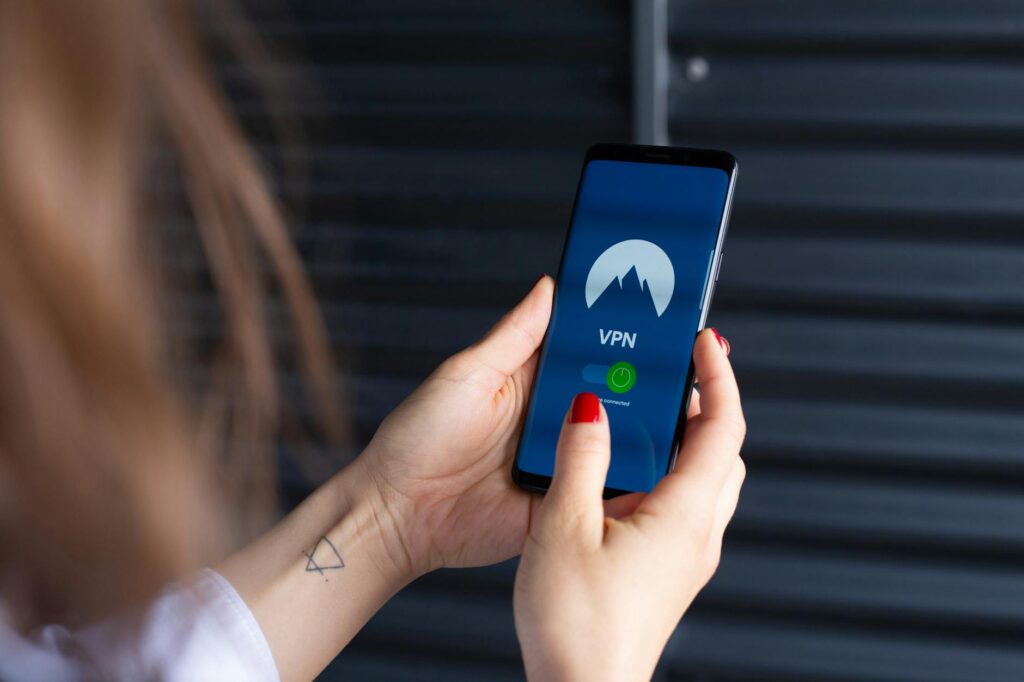
A Virtual Private Network (VPN) stands out as the single most effective tool available for preventing your ISP from tracking your browsing activities in the UK. It operates by establishing an encrypted tunnel between your device and a remote server operated by the VPN provider. So, your ISP observes encrypted traffic flowing to the VPN server, rather than the specific websites or online services you’re actually accessing. This process effectively shields domain names, page paths, and the majority of your browsing activity from direct local inspection by your ISP.
For optimal protection, You need to to select a VPN service that possesses a verified no-logs policy, employs modern encryption standards such as AES-256, and has undergone independent security audits. Relying on a provider that hasn’t been audited means you’re placing trust in marketing claims rather than verifiable evidence of their security and privacy practices. Look for clear ownership structures, transparent privacy policies, and solid support for features like a kill switch, split tunneling, and protection against IP or DNS leaks.
The primary limitations associated with VPN usage are potential reductions in internet speed and the necessity of trusting the VPN provider. A VPN can indeed impact performance, especially when connecting to servers that are geographically distant or when using older or less powerful devices. Keyly, using a VPN shifts your trust from your ISP to the VPN company itself—underscoring the profound importance of careful provider selection.
A useful reference point for broader data protection landscape in the UK is the government’s guidance available at https://www.gov.uk/government/publications/guide-to-data-protection. While this resource won’t recommend specific VPN services, it provides valuable context regarding the data protection regulations that influence how online services manage personal data.
Popular keywords related to this topic, such as ‘VPN for UK browsing privacy’, ‘hide browsing history from ISP’, ‘internet privacy’, ‘encrypted tunnel’, ‘no logs VPN’, ‘IP address masking’, and ‘online anonymity’, collectively describe the core strategy of using VPNs to enhance privacy from different perspectives.
Why DNS Privacy Still Matters for UK Internet Users
Many users install a VPN and consider their privacy concerns addressed. While this is a significant step, DNS leaks can still expose critical information and reveal browsing habits if the VPN configuration isn’t optimal. The Domain Name System (DNS) is the internet’s phonebook, translating human-readable website names (like google.com) into machine-readable IP addresses. If your DNS requests are sent to your ISP in plain text, your ISP can still infer the domains you’re attempting to reach, even if the subsequent connection is encrypted.
To mitigate this risk, employing encrypted DNS is highly recommended. The two most prevalent methods for securing DNS queries are DNS over HTTPS (DoH) and DNS over TLS (DoT). These protocols effectively obscure your DNS requests from local observers, including your ISP. Widely adopted public DNS resolvers like Cloudflare’s 1.1.1.1 and Quad9’s 9.9.9.9 offer enhanced privacy, though the optimal choice often depends on individual privacy preferences and specific threat models. As PCMag recently reported, even social media giants like Facebook and Instagram are implicated in collecting extensive internet activity, making encrypted DNS a vital component of a broader privacy strategy.
If your chosen VPN application includes built-in encrypted DNS functionality, ensure it’s enabled. If not, you will need to configure your DNS settings manually at the device or router level. it’s imperative to test for DNS leaks after setup, as many users mistakenly believe they’re fully protected when their browser continues to send DNS queries outside the secure VPN tunnel.
And — DNS privacy offers benefits even when you aren’t using a VPN. While it can’t conceal all online activity, it reduces the quality and detail of the profile that an ISP or other entities can construct from your web browsing habits, search patterns, and domain lookups.
Browser and Device Settings to Reduce Tracking in 2026
While VPNs and encrypted DNS form the bedrock of your privacy strategy, optimizing your browser and device settings can further curtail tracking. Begin by enabling the ‘HTTPS Only’ mode in your web browser. This setting prioritizes secure, encrypted connections whenever possible, thereby minimizing exposure, especially on unsecured public Wi-Fi networks.
Also, implement policies to block third-party cookies, regularly clear tracking data and cached files, and disable browser features that you don’t actively use. Browser extensions designed for tracker blocking can be especially effective, especially against intrusive ad networks and sophisticated fingerprinting scripts. While solid tracker blockers can reduce ad tracking, cross-site tracking, and behavioural profiling, combating browser fingerprinting remains a more complex challenge. Strategies to mitigate fingerprinting include restricting script execution, minimizing the number of installed browser extensions, and utilizing a privacy-focused browser profile to appear less unique to tracking algorithms.
it’s also essential to meticulously review and tighten application permissions on all your devices. Mobile applications frequently request access to sensitive data such as location, contacts, Bluetooth, and local network resources that aren’t strictly necessary for their core functionality. On operating systems like Windows, macOS, iOS, and Android, users should actively manage app permissions, disable ad personalization settings, and carefully review background synchronization options. When connecting to public Wi-Fi networks, always prioritize encrypted connections and refrain from logging into sensitive accounts unless your connection is secured through a VPN or other solid encryption method.
A common pitfall is combining advanced privacy tools with insecure online habits. For instance, signing into multiple online services using the same email address and password combination, or reusing credentials across different platforms, creates significant vulnerabilities. As highlighted by bgr.com in their recent piece on clever VPN uses, users are finding innovative ways to boost their security, but foundational practices like using strong, unique passwords and enabling multi-factor authentication remain critical.
Data-Driven Comparison of Privacy Methods
To provide a clearer picture of effectiveness, let’s compare the primary methods for preventing ISP tracking:
| Method | What it Hides from ISP | What it Doesn’t Hide from ISP | Key Benefits | Key Drawbacks |
|---|---|---|---|---|
| HTTPS Encryption | Content of the communication (page data) | Domain names visited, IP addresses, connection times, data volume | Standard, widely supported, secures content | Doesn’t hide destination from ISP |
| Encrypted DNS (DoH/DoT) | DNS lookup requests (which sites you’re trying to reach) | IP addresses, connection times, data volume, actual browsing | Prevents DNS-based tracking, enhances privacy on unsecured networks | Doesn’t hide overall traffic, potential compatibility issues |
| VPN (Virtual Private Network) | Destination websites, DNS requests (if configured correctly), IP address, browsing activity | Connection to VPN server, data volume, connection times (metadata) | Strongest protection against ISP snooping, IP masking | Requires trust in VPN provider, potential speed reduction, cost |
| Browser/Device Settings (e.g., tracker blockers, HTTPS-only) | Cookies, scripts, third-party tracking elements | IP addresses, ISP connection data, DNS requests (unless secured) | Reduces website-level tracking, enhances security | Doesn’t hide ISP activity, requires constant management |
As the table illustrates, no single method offers complete protection. A layered approach, combining a reputable VPN with encrypted DNS and hardened browser/device settings, provides the most complete defence against ISP tracking and broader online surveillance in 2026.
Frequently Asked Questions
Can my ISP see what I do online if I use HTTPS?
Yes, to a significant extent. While HTTPS encrypts the content of your communication with a website (meaning your ISP can’t read the specific data you send or receive, like messages or form submissions), they can still see the metadata. This includes the IP addresses of the servers you connect to, the domain names of the websites you visit (e.g., `example.com`), the duration of your connection, and the amount of data transferred. As Bitdefender recently noted, this metadata can still reveal a great deal about your online habits and interests.
Is a VPN sufficient to stop all ISP tracking?
A VPN is a highly effective tool for stopping most ISP tracking, but it’s not a silver bullet for absolute invisibility. It encrypts your traffic and routes it through its own servers, hiding your destination websites and IP address from your ISP. However, your ISP can still see that you’re connected to a VPN server and the amount of data you’re using. And — as Surfshark points out, websites and online services themselves can still track you through cookies, browser fingerprinting, and account logins, irrespective of your VPN usage.
Do I need a VPN if I only visit secure (HTTPS) websites?
Yes, you likely still benefit from a VPN even if you primarily visit HTTPS websites. While HTTPS protects the content of your connection to a specific site, your ISP can still see which HTTPS sites you visit. A VPN adds a Key layer of privacy by encrypting all your traffic and masking your destination from your ISP. It also protects against other forms of tracking and surveillance, especially on public Wi-Fi networks. Private Internet Access emphasizes that HTTPS and VPNs serve different but complementary privacy functions.
What are the risks of using a free VPN?
Free VPNs often come with significant privacy and security risks. Many free services make money by logging your activity and selling that data to advertisers or other third parties, directly undermining the purpose of using a VPN. They may also have weaker encryption, slower speeds, data caps, or inject ads into your browsing sessions. In some cases, they may even contain malware. it’s generally recommended to use reputable, paid VPN services that have transparent no-logs policies and undergo regular independent audits.
How can I check if my VPN is leaking my DNS requests?
You can easily check for DNS leaks using various online tools. Simply search for “DNS leak test” and visit a reputable site (many VPN providers offer their own or recommend third-party testers). Ensure you’re connected to your VPN before running the test. The results should only show DNS servers provided by your VPN service, not your ISP’s servers. If your ISP’s DNS servers appear, it indicates a leak, and you should adjust your VPN settings or configure encrypted DNS on your device.
Conclusion
In 2026, protecting your browsing activity from ISP tracking in the UK requires a multi-faceted strategy. While the core principles remain the same—encryption, obfuscation, and diligent configuration—the tools and techniques available continue to evolve. By understanding what your ISP can and can’t see, prioritizing a reputable VPN service, ensuring DNS privacy, and hardening your browser and device settings, you can enhance your online privacy. Remember that consistent vigilance and a layered defence are key to maintaining control over your digital footprint in an increasingly monitored online world.


