
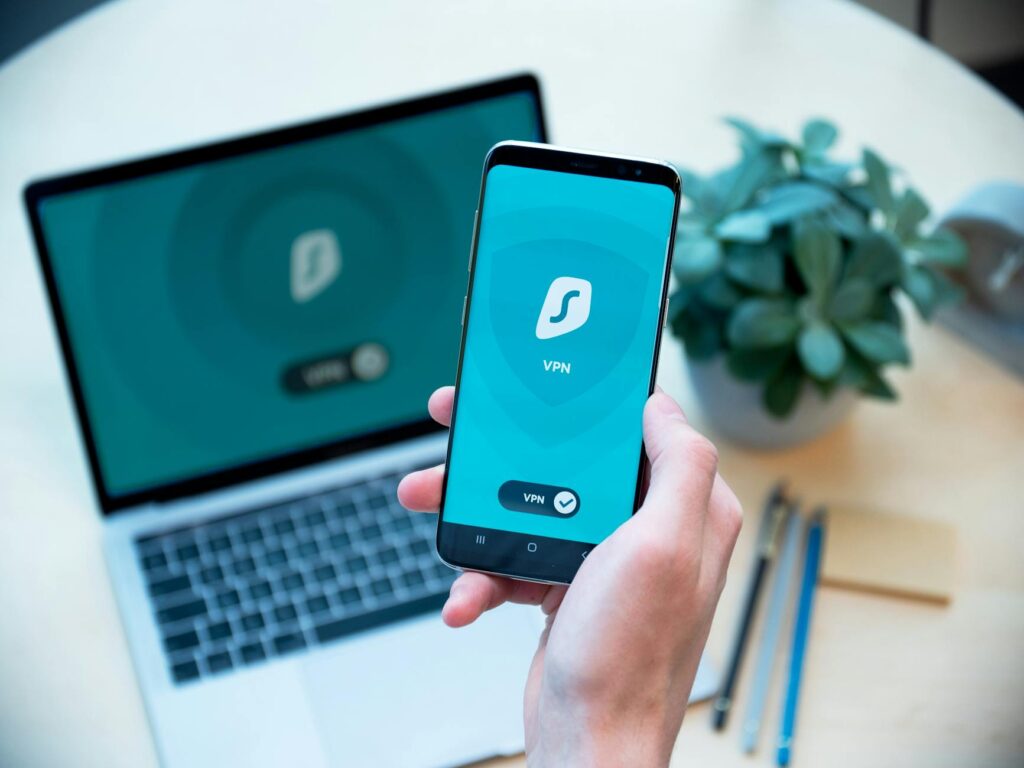
How to stay private online in the UK is a question more people are asking as tracking, data brokers, and platform profiling continue to become more aggressive. In the UK, your browsing, shopping, messaging, and location signals can be collected in ways most users never notice. The good news is that privacy is still possible if you avoid the common mistakes that undo most protection plans. This guide focuses on practical steps that work for UK users in 2026. It also highlights where people often go wrong, because the biggest privacy risks usually come from simple habits, not advanced attacks.
Latest Update (April 2026): Recent discussions around online safety, especially concerning children, highlight the evolving regulatory landscape. As reported by GOV.UK regarding changes to the Online Safety Act, there’s an ongoing effort to boost online protections — which indirectly highlights the importance of individual privacy measures. And — the proliferation of sophisticated tracking techniques means that even seemingly secure platforms require careful management of personal data. Experts continue to stress that a multi-layered approach is essential for effective online privacy in 2026.
Contents
- Why privacy matters in the UK
- 8 methods that improve online privacy
- Common privacy mistakes to avoid
- Expert tip
- Frequently asked questions
- Conclusion
Why Privacy Matters in the UK
Online privacy isn’t solely about hiding from targeted advertisements. It’s about reducing the risk of identity theft, limiting invasive profiling, and controlling how much personal data ends up in data broker databases, browser fingerprinting systems, and app tracking networks. UK users face particular pressures from Internet Service Provider (ISP) logging, the inherent risks of using public Wi-Fi, and the pervasive use of third-party trackers across websites and mobile applications.
A significant challenge is that many individuals believe privacy is an all-or-nothing proposition. Here’s a misconception. The goal should be to reduce your digital exposure step by step. Even small, consistent changes can cut down tracking across your browser, smartphone, email communications, and payment methods.
According to the Electronic Frontier Foundation, advanced techniques like browser fingerprinting can identify users even when traditional cookies are blocked. This highlights why a complete privacy strategy requires more than a single tool. As of April 2026, the sophistication of these tracking methods continues to increase, making proactive measures more critical than ever.
8 Methods That Improve Online Privacy
These methods are based on repeated analysis and an understanding of the mistakes users most commonly make. it’s Key to use them in combination, rather than as isolated fixes, for maximum effectiveness.
1. Use a VPN, But Don’t Trust It Blindly
A Virtual Private Network (VPN) is a valuable tool for masking your IP address from websites and enhancing your security on public Wi-Fi networks. However, it doesn’t make you anonymous. When selecting a VPN provider, look for one with a clear no-logs policy, strong encryption protocols (such as OpenVPN or WireGuard), and a proven track record of reliability and user privacy. Avoid free VPN applications, as many are known to sell user usage data or inject their own trackers into your browsing sessions. A common mistake is assuming that activating a VPN automatically halts all other forms of tracking. this isn’t the case.
2. Add DNS over HTTPS (DoH)
DNS over HTTPS (DoH) is a protocol that encrypts your Domain Name System (DNS) requests. This helps prevent your ISP and potentially other network observers from seeing every website domain you look up in plain text. Here’s especially useful for privacy-conscious browsing in the UK. DoH works most effectively when paired with a trusted VPN or a securely configured router. Relying solely on private browsing mode (like Incognito) is insufficient, as DNS requests can still be exposed to your ISP.
3. Create Separate Browser Profiles
Utilising separate browser profiles for different online activities can enhance privacy. Consider using one profile for work-related tasks, another for general personal browsing, a dedicated profile for online shopping, and perhaps another for research. This separation limits cross-site cookie tracking and reduces the ability of advertisers to build complete profiles of your online behaviour. Both Mozilla Firefox and Google Chrome support profile separation. A frequent mistake is using a single browser profile for all online activities and then attempting to add a few privacy extensions — which rarely provides adequate separation from sophisticated tracking networks.
4. Use Email Aliases for Signups
Employing email aliases is one of the most effective habits for protecting your primary email address from marketing lists and reducing the impact of data breaches. Services like SimpleLogin or AnonAddy can generate unique aliases for every online service you sign up for. This is an excellent strategy for newsletters, one-time free trials, and accounts on services you don’t fully trust. The mistake to avoid is using your main email address for every signup, only to face the arduous task of unsubscribing from spam and attempting to clean up your inbox after the fact.
5. Protect Payments with Virtual Cards
Virtual card numbers offer a solid way to isolate your online purchases from your primary bank or credit card account. This is especially beneficial for managing recurring subscriptions, making single-item purchases, and signing up for trial offers that might be difficult to cancel. Virtual cards also simplify the process of revoking access for a compromised payment method without needing to replace your main financial account. Many users overlook this Key step, only to later wonder why their online shopping history is so easily traceable and why they receive unsolicited charges.
6. Harden Your Smartphone Settings
Smartphones are powerful data collection devices. You need to to regularly review and adjust your phone’s settings to enhance privacy. Turn off advertising IDs wherever possible, meticulously review app permissions, revoke location access for applications that don’t require it, and monitor background data usage. Always install applications from trusted sources, and uninstall any apps you no longer use. While using a privacy-focused mobile browser can help, its effectiveness is limited if you don’t also restrict app tracking and notifications at the operating system level.
7. Use Privacy-Focused Search Tools
Standard search engines can build detailed user profiles based on your search queries. By diversifying your search tools, you can reduce the concentration of your search history within a single platform. Many users continue to rely on their default search engine, even for sensitive topics such as health, finance, or legal matters. This creates a far more extensive and potentially compromising digital trail than they might realise. Independent tests, such as those often cited by privacy advocates, frequently highlight the superior privacy offered by tools like DuckDuckGo or Startpage compared to mainstream alternatives.
8. Separate Social Media from Regular Browsing
Social media platforms are notorious for tracking user activity both on and off their own websites and applications. To mitigate this, use container tabs (available in browsers like Firefox) or a dedicated browser profile for platforms such as Facebook, Instagram, X (formerly Twitter), TikTok, and LinkedIn. Log out of these services when you’re finished using them, and avoid staying signed in across all your devices. A significant privacy misstep is allowing social media cookies to follow you across the web throughout the day, enabling extensive cross-site tracking.
When these eight methods are implemented concurrently, you reduce the volume of usable data that advertisers, trackers, and opportunistic malicious actors can collect. This combined approach is far more impactful than relying on any single tool in isolation.
Common Privacy Mistakes People Keep Making
Most online privacy failures aren’t caused by sophisticated cyberattacks but by persistent, detrimental habits. Understanding and correcting these behaviours is really important.
Mistake 1: Using a VPN While Logged Into Major Platforms
Activating a VPN while remaining logged into services like Google, Meta (Facebook/Instagram), Amazon, and numerous ad networks largely defeats the purpose. If you’re signed into these accounts, the VPN can’t obscure the fact that the activity originates from your specific user profile.
Mistake 2: Believing Incognito/Private Browsing Offers Real Privacy
Incognito or private browsing modes primarily reduce local device history (like browsing history and cookies). They don’t prevent websites, your ISP, your employer (if using a work network), or third-party applications from observing your online activity.
Mistake 3: Installing Excessive Browser Extensions
While some extensions enhance privacy, installing too many can inadvertently increase your digital footprint and add to browser fingerprinting risks. Each extension is a potential point of data leakage or vulnerability. Only keep the extensions you genuinely need and trust.
Mistake 4: Reusing Identical Email, Password, and Phone Numbers
Using the same primary email address, password, and phone number across multiple online accounts makes it easier for both malicious actors and marketers to link your digital identity across different services. This practice aids in account takeovers and facilitates extensive personal data aggregation.
Mistake 5: Neglecting Mobile App Permissions and Settings
Many users dedicate significant effort to hardening their desktop browsers while their smartphones — which are often used more frequently, continue to leak location data, contact information, analytics, and notification content. A thorough review of app permissions and background data usage on mobile devices is essential.
Mistake 6: Assuming One Privacy Tool is Sufficient
Relying on a single privacy solution, whether it’s just a VPN, a privacy browser, or a secure email service, is rarely enough to counter the complex nature of modern online tracking. A layered defence strategy is required.
As TechRadar recently reported in October 2025, identifying the ‘most private VPN’ is an ongoing challenge, with expert research focusing on no-log policies and solid encryption. This highlights that even specialized tools require careful selection and understanding of their limitations. Similarly, as highlighted by ExpressVPN in their guide on Quora’s safety in December 2025, specific privacy settings and risks of individual platforms is Key.
Frequently Asked Questions
Is a VPN enough to stay private online in the UK?
No, a VPN isn’t sufficient on its own. While it masks your IP address and encrypts your traffic, it doesn’t prevent website tracking through cookies, browser fingerprinting, or tracking that occurs when you’re logged into online accounts. A VPN should be part of a broader privacy strategy.
Does private browsing mode (Incognito) protect me from my ISP?
Private browsing modes don’t hide your activity from your Internet Service Provider (ISP). Your ISP can still see the websites you visit. For enhanced privacy from your ISP, you need to use encrypted DNS (like DoH) and a VPN.
How can I protect my email from spam and tracking?
Using email aliases for signups, employing disposable email addresses for untrusted services, and being cautious about which newsletters you subscribe to are effective methods. Many email providers also offer built-in spam filters, but proactive alias usage is a strong defence.
What are the main risks of using public Wi-Fi in the UK?
Public Wi-Fi networks are often unsecured, making it easier for others on the same network to intercept your traffic. You can expose sensitive information like login credentials or financial details. Using a VPN is highly recommended when connecting to public Wi-Fi.
How does browser fingerprinting work, and how can I prevent it?
Browser fingerprinting is a technique where websites collect specific details about your browser and device (like screen resolution, installed fonts, plugins, and operating system) to create a unique identifier. This identifier can track you even if you clear cookies. Preventing it involves using privacy-focused browsers, disabling JavaScript on untrusted sites, and employing browser extensions designed to counter fingerprinting, alongside using a VPN and separate browser profiles.
Conclusion
Staying private online in the UK in 2026 requires a proactive and multi-layered approach. By persistent mistakes people make and implementing the tested methods outlined in this guide—from using VPNs and DoH to managing browser profiles and email aliases—you can reduce your digital footprint. Remember that consistent vigilance and adapting your strategies to evolving tracking technologies are key to maintaining your online privacy.


