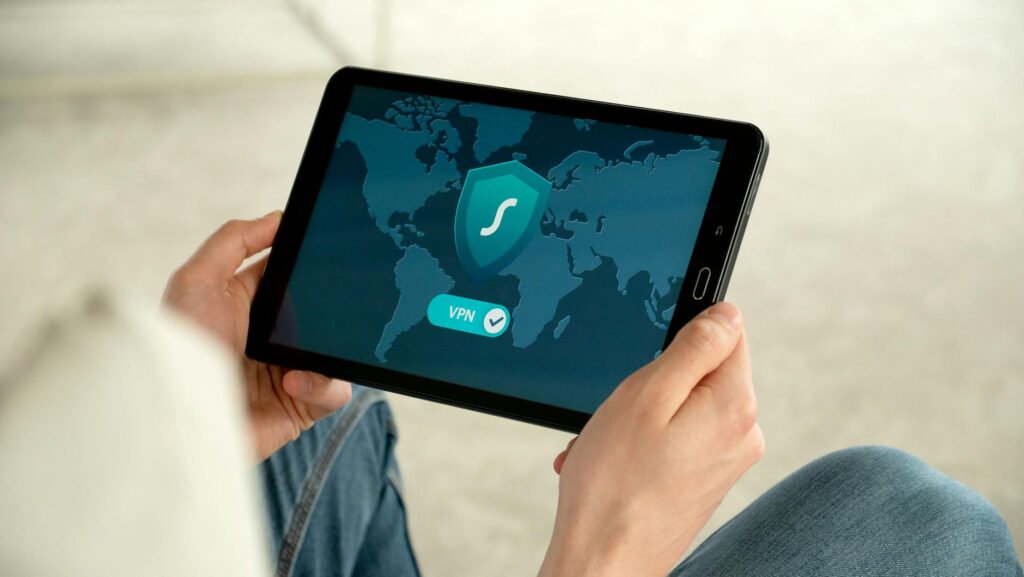
Data privacy guides matter more in 2026, but the contrarian truth is this: the safest move isn’t to become invisible. It’s to become harder to profile, harder to track, and harder to misuse. Most people don’t need a total digital shutdown. They need better defaults, fewer data leaks, and a plan that fits real life.
Publication Date: 2024-05-15 | Last Updated: 2026-04-24
Latest Update (April 2026)
As artificial intelligence (AI) agents become more integrated into our online activities, new privacy considerations are emerging. OpenAI, in a recent advisory, highlighted the importance of understanding how AI agents interact with links and the potential for data exposure. This underscores the need for enhanced vigilance when using AI tools, especially those that browse the web or interact with external content. Furthermore, the ongoing debate between Android and iOS continues, with reports from Tech Times in March 2026 comparing their privacy features, suggesting that while both platforms are making strides, user awareness and active configuration remain key to maintaining data security.
Understanding Your Digital Footprint
Every click, search, and login leaves a trail. Your digital footprint includes browser history, app usage, purchase records, social media activity, and device signals that can be combined into a personal profile. Understanding your digital footprint is the foundational step in any robust data privacy strategy.
Many people assume privacy means hiding every detail. In practice, the goal is to reduce unnecessary exposure. That means knowing what’s public, what’s shared with advertisers, and what’s stored by data brokers. If you have never checked, you may be surprised by how much personal information is already connected to your name and digital identities.
Start with a simple digital audit. Search your name in a private browser window. Review old accounts you no longer use. Check whether your email address appears in known breach databases. Tools like Have I Been Pwned can help you see whether your credentials were exposed in a data breach.
Then look at the bigger pattern. Which services know your location? Which ones have access to your contacts? Which apps are collecting behavioral data that you never intended to share? The answers can help you focus on the changes that matter most to your personal security.
According to a 2024 IBM report, the average cost of a data breach reached 4.88 million dollars, highlighting why personal security habits aren’t just technical details but practical risk reduction strategies against significant financial and reputational damage.
The contrarian part is this: don’t waste time trying to perfectly disappear. That’s unrealistic for most people in 2026. Instead, aim to become a poor target for profiling systems. Limit the data they can collect, and you will significantly cut the value of your digital footprint.
Browser Privacy and Tracking Protection
Your web browser is one of the biggest sources of tracking. It can reveal your search habits, shopping behavior, location hints, and even device details through techniques like browser fingerprinting. If privacy is a priority, your browser settings should be a top concern.
Privacy-focused browsers such as Firefox and Brave can reduce third-party tracking by default. While this doesn’t make you invisible, it significantly lowers the amount of passive data collection. For everyday users, this is generally more effective than attempting to use extreme anonymity tools that are difficult to maintain and can often hinder usability.
Turn on enhanced tracking protection, block third-party cookies, and clear site data on a regular schedule. Consider using separate browser profiles for work, personal life, and sensitive tasks. This simple habit can reduce cross-site tracking and make account separation much easier.
Browser extensions can be beneficial, but an excessive number of add-ons can introduce new security risks. Stick with trusted tools from official sources, and keep the list of extensions as short as possible. A quality ad blocker and tracker blocker are usually sufficient for most users.
For a deeper dive into browser privacy settings, Mozilla offers a practical guide at Mozilla’s Enhanced Tracking Protection.
Social Media Privacy Settings That Actually Matter
Social platforms are meticulously designed to collect as much information as possible. They incentivize sharing and then convert that shared data into targeted advertisements and predictive user models. A more effective approach is selective sharing. You don’t need to abandon social media entirely. You need to stop treating it like an open diary.
Regularly review your privacy settings on platforms like Facebook, Instagram, TikTok, X (formerly Twitter), LinkedIn, and any other service you use frequently. Make your profile private wherever possible. Limit who can see your posts, story content, friend list, and contact information. Turn off location tagging for posts unless it is absolutely necessary for that specific content.
Old posts can still pose privacy risks. A photograph from years ago might inadvertently reveal where you live, work, travel, or spend your weekends. Proactively clean up content that no longer aligns with your current life and privacy preferences. This isn’t about achieving perfect digital hygiene. It’s about removing easy clues that could be exploited by strangers, scammers, or social engineers.
Exercise caution with your profile details. Information like your birthday, employer, hometown, educational institutions, and relationship status all contribute context. This context can help advertisers target you more precisely, and it can also assist attackers in answering security questions or crafting convincing phishing messages.
Most social media platforms allow you to download a copy of your data. Utilize this feature. It provides a clear view of how much personal data the platform has stored and can serve as a powerful motivator for making better decisions about what you share online.
App Permissions, Location Services, and Mobile Privacy
Smartphones, while incredibly convenient, can also function as powerful tracking devices if not managed carefully. They can log location, contacts, calendars, photos, microphone access, Bluetooth activity, and much more. To achieve better mobile privacy, start by meticulously managing app permissions.
Review which apps have access to your location, camera, microphone, photos, and contacts. If an app does not require a specific permission to function as intended, disable it. Many applications request more access than they truly need, often for data harvesting purposes. The easiest and most impactful privacy win is removing access that serves no clear purpose for the app’s core functionality.
Location services warrant special attention. Some apps only require approximate location data, not precise GPS coordinates. Utilize the ‘approximate location’ setting whenever it is available. You can also disable background location access for apps that do not need to track your whereabouts when you are not actively using them. As ESET noted in their 2026 security guide for AI tools like ChatGPT, understanding where and how your data is accessed is paramount, and this principle extends to mobile app permissions.
Managing Background App Activity
Background app refresh allows applications to update content and notifications even when you are not actively using them. While convenient, it can also lead to continuous location tracking and data collection. On both Android and iOS, users can granularly control which apps are allowed to refresh in the background and restrict network access for certain applications when they are not in use. This is a critical step for reducing your device’s overall data footprint.
Understanding AI Agent Interactions
With the rise of AI agents, as highlighted by OpenAI, new privacy challenges arise. These agents may click on links or process information from various sources, potentially exposing data inadvertently. Users should be aware of the permissions granted to AI tools and the data they might access. According to Surfshark’s March 2026 analysis, ensuring AI tools are configured with privacy in mind is essential, especially when they handle sensitive information or interact with online content on your behalf.
Password Security and Account Protection
Strong, unique passwords are the first line of defense for your online accounts. Weak or reused passwords are a common entry point for hackers. In 2026, password managers are no longer a niche tool but a necessity for robust security.
A reputable password manager can generate and securely store complex passwords for all your online accounts. This eliminates the need to remember dozens of unique passwords and prevents the temptation to reuse weak ones. Look for managers that offer multi-factor authentication (MFA) support for accessing the manager itself.
Enable multi-factor authentication (MFA) wherever possible. MFA adds an extra layer of security beyond just your password, typically requiring a code from your phone, a physical security key, or biometric verification. This significantly reduces the risk of account compromise, even if your password is stolen.
Regularly review connected apps and services. Many platforms allow third-party applications to access your account. Periodically check these connections and revoke access for any apps you no longer use or trust. This practice, recommended by cybersecurity experts according to the BBC Science Focus Magazine in November 2025, helps to close potential security loopholes.
Public Wi-Fi, Email Privacy, and Data Brokers
Using public Wi-Fi networks at cafes, airports, or hotels can be convenient, but they often lack robust security. This makes them a prime target for hackers looking to intercept your data. When using public Wi-Fi, avoid accessing sensitive accounts like banking or email. If you must use public Wi-Fi for such activities, a Virtual Private Network (VPN) is highly recommended. A VPN encrypts your internet traffic, making it unreadable to anyone trying to snoop on the network.
Email privacy is another critical area. Be wary of phishing attempts, which are designed to trick you into revealing personal information or clicking malicious links. Use strong spam filters and consider using a secondary email address for non-essential online sign-ups. This helps to keep your primary inbox cleaner and reduces your exposure to phishing.
Data brokers are companies that collect vast amounts of personal information from various sources and sell it to other businesses. This includes your browsing habits, purchase history, demographics, and more. To reduce your exposure to data brokers:
- Opt-out of data collection where possible. Many broker websites have opt-out procedures, though they can be complex.
- Use privacy-focused services that limit data collection by default.
- Be mindful of the information you share on public forms and social media.
- Consider using services that help manage data broker opt-outs, but research their privacy policies carefully.
As Tech Times reported in March 2026, the ongoing comparison between Android and iOS privacy features highlights that while operating systems offer varying levels of built-in protection, user actions—like managing app permissions and understanding data broker practices—are paramount regardless of the device.
Frequently Asked Questions
What is the biggest threat to my online privacy in 2026?
The biggest threats in 2026 are multifaceted and include sophisticated phishing attacks, the pervasive tracking by data brokers and advertisers, the increased use of AI for data analysis, and potential vulnerabilities in interconnected IoT devices. A comprehensive approach to privacy is necessary to mitigate these risks.
How can I make my online presence less traceable?
While complete invisibility is difficult, you can reduce your traceability by using privacy-focused browsers and search engines, employing a VPN, managing app permissions rigorously, enabling MFA on all accounts, being selective about social media sharing, and regularly reviewing your digital footprint and connected services.
Is using Incognito Mode enough to protect my privacy?
No, Incognito or Private Browsing modes primarily prevent your browser from storing your history, cookies, and site data locally on your device. They do not make you anonymous online. Your Internet Service Provider (ISP), websites you visit, and your employer (if using a work network) can still see your activity. For true privacy, combine Incognito Mode with other tools like a VPN and privacy-focused browsers.
How often should I update my passwords and review privacy settings?
It is recommended to update critical passwords at least every six months or immediately if you suspect a breach. Privacy settings on social media and apps should be reviewed quarterly, or whenever a platform announces significant changes to its policies or features. Regularly checking for app permission changes is also advisable.
Can AI tools like ChatGPT compromise my data privacy?
AI tools can pose privacy risks if not used carefully. As ESET and Surfshark have pointed out in 2026, data entered into AI models can potentially be used for training or may be exposed through security vulnerabilities. It’s crucial to avoid inputting sensitive personal or confidential information into public AI chatbots and to understand the privacy policies of any AI service you use. OpenAI has also provided guidance on how AI agents interacting with links can impact data safety.
Conclusion
Achieving a safer online life in 2026 is not about becoming a digital hermit. It’s about informed choices, consistent vigilance, and employing the right tools and settings to reduce your exposure. By understanding your digital footprint, securing your browsers and devices, managing your social media presence wisely, and staying aware of emerging threats like AI-driven data collection, you can significantly enhance your personal data privacy. Taking proactive steps today will build a more secure and private digital future.