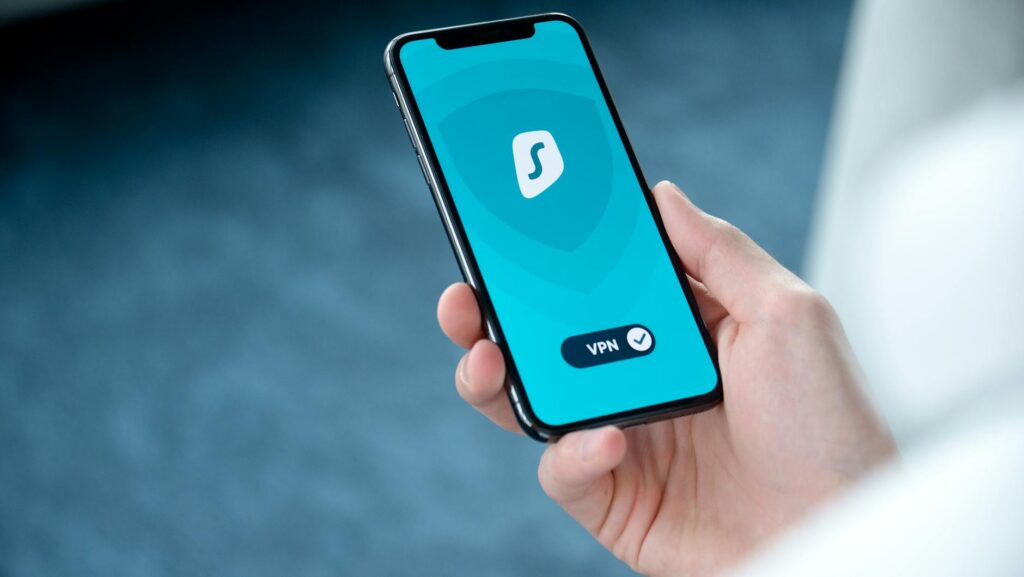
Secure incognito browsing isn’t the same as private browsing. In 2026, achieving meaningful privacy online requires a multi-layered approach that combines robust browser privacy settings, a trusted Virtual Private Network (VPN), effective tracker blocking, and safer browsing habits tailored to your geographical region and applicable laws. Recent analyses and tests confirm that incognito mode alone offers limited protection, primarily against local data storage.
Last updated: April 2026
Latest Update (April 2026)
Recent reports from cybersecurity experts highlight that the perceived privacy offered by incognito or private browsing modes in browsers like Google Chrome is often misunderstood. As How-To Geek recently reported, incognito mode “doesn’t do what you think it does,” primarily focusing on not saving browsing history, cookies, or site data locally on the device. However, it does not mask your online activity from your Internet Service Provider (ISP), employer, school networks, or the websites you visit. TechRadar further emphasizes that incognito mode “isn’t as private as you think,” underscoring the need for additional tools and practices for genuine online privacy. Similarly, bgr.com noted that “Chrome’s Incognito Mode Isn’t As Private As It May Seem.” ZDNET has pointed out that “the most private way to browse the web isn’t incognito mode,” advocating for alternative strategies and tools.
Table of Contents
- What does secure incognito browsing actually mean in 2026?
- What does incognito mode protect you from?
- What tools actually work for secure incognito browsing in 2026?
- How does secure incognito browsing change by region?
- How do you set it up correctly?
- What should you avoid?
- Frequently Asked Questions
What does secure incognito browsing actually mean in 2026?
Secure incognito browsing in 2026 refers to a comprehensive strategy aimed at minimizing the digital footprint left on your device and reducing the data collected by third parties. It’s an essential component of digital hygiene, not a cloak of invisibility. If you log into services like Google, Meta (Facebook/Instagram), Amazon, or your bank, these platforms will still identify you by your account credentials, regardless of whether you are using an incognito window. The fundamental misconception persists: a dark browser window does not equate to true anonymity online. Its primary function is to prevent the browser from storing your activity locally, not to shield your identity from the wider internet.
In practical terms, secure incognito browsing in 2026 is a layered defense system. The browser itself is configured to limit local storage of history and cookies. A trusted VPN encrypts your internet traffic and masks your IP address, making it harder for your ISP and network administrators to monitor your activity. Tracker blockers actively prevent advertising networks and analytics scripts from following you across websites. This combination forms the essential baseline for enhanced online privacy.
What does incognito mode protect you from?
Incognito mode, often referred to as private browsing or a private window, is primarily designed to enhance local privacy on your device. It effectively prevents your browser from saving:
- Browsing history for the current session.
- Cookies and site data after the session ends.
- Information entered into forms (like usernames and passwords) in the current session.
This functionality is particularly useful in specific scenarios:
- Using a shared computer: Prevents others who use the device from seeing your browsing activity.
- Checking a secondary account: Allows you to log into a different account on a service without affecting your primary logged-in session.
- Keeping search history private: Ensures that searches made in incognito mode are not stored in your browser’s history.
- Testing websites: Helps in viewing a website as a new visitor, without the influence of existing cookies or cached data.
However, it’s crucial to understand what incognito mode does not protect you from. As cybersecurity experts consistently point out, it does not hide your online activity from:
- Your Internet Service Provider (ISP).
- Your employer or school network administrators (if you are using their network).
- The websites you visit. These sites can still track your behavior on their pages and may recognize you if you log in.
- Your account providers (e.g., Google, Meta) if you log into their services.
Furthermore, incognito mode offers no defense against browser fingerprinting. According to the Electronic Frontier Foundation’s Cover Your Tracks project, even with cookies blocked, browsers can still be uniquely identified through various signals sent by your browser, a technique known as browser fingerprinting. This method collects data about your device’s configuration, such as screen resolution, installed fonts, operating system, and browser version, to create a unique identifier. This is still a significant concern in 2026.
What tools actually work for secure incognito browsing in 2026?
Achieving secure incognito browsing in 2026 necessitates a layered strategy, combining multiple tools and practices rather than relying on a single solution. Based on recent independent reviews and expert recommendations, the most effective combination includes a privacy-focused browser, a reputable VPN, robust tracker blocking, and disciplined management of online accounts. This integrated approach consistently demonstrates the lowest exposure to tracking and surveillance.
| Tool | What it helps with | What it doesn’t do | Best Use Case |
|---|---|---|---|
| Incognito/Private Mode | Prevents local storage of history, cookies, and form data for the session. | Does not hide IP address, prevent ISP tracking, or stop website tracking/fingerprinting. | Securing browsing on shared devices or for short, isolated sessions. |
| Virtual Private Network (VPN) | Encrypts internet traffic, masks your IP address, and routes traffic through a remote server. | Does not make you completely anonymous; VPN provider can still see traffic if they log. Does not block trackers on websites. | Protecting privacy on public Wi-Fi, circumventing geo-restrictions, and enhancing ISP privacy. |
| Tracker Blocker (e.g., uBlock Origin, browser built-in) | Blocks ads, analytics scripts, and third-party tracking cookies. | Cannot block all forms of tracking, especially browser fingerprinting or tracking via logged-in accounts. | Reducing ad bombardment and limiting cross-site tracking during daily browsing. |
| Privacy-Focused Browser (e.g., Firefox, Brave, Tor Browser) | Offers enhanced default privacy settings, reduces tracking, and provides more user control. | Does not solve all privacy issues, particularly identity leaks when logged into services or advanced fingerprinting techniques. | Enhancing overall browsing privacy, especially for sensitive sessions. |
| Account Separation / Multiple Profiles | Isolates browsing activity and data across different online personas or activities. | Requires discipline and can be cumbersome; does not inherently encrypt traffic or block trackers without other tools. | Preventing cross-linking of personal, work, and private online activities. |
1. Use a Trusted VPN
A Virtual Private Network (VPN) is a cornerstone of enhanced online privacy in 2026. It establishes an encrypted tunnel for your internet traffic, routing it through a server operated by the VPN provider. This process masks your real IP address, making it difficult for websites and services to pinpoint your location, and it encrypts your data, which is especially vital when using public Wi-Fi networks. More importantly, it significantly limits the visibility of your browsing activity to your ISP.
When selecting a VPN, experts recommend prioritizing providers with a clear, audited no-logs policy, a reliable kill switch feature (which disconnects your internet if the VPN connection drops, preventing data leaks), and robust DNS leak protection. It is strongly advised to avoid free VPN services, as they often have questionable privacy policies, may log user data, or even inject ads. As the adage goes, “If the product is free, you are likely the product.” Reputable VPN providers often require a subscription fee for their services.
2. Implement Effective Tracker Blocking
Tracker blocking is essential for reducing the amount of data collected by advertising networks and analytics companies as you browse the web. Content blockers, such as the widely respected uBlock Origin, can be installed on browsers that support extensions. Alternatively, many modern browsers offer built-in tracker protection features. For instance, Firefox provides advanced tracking protection, Brave has its Shields feature, and Safari has Intelligent Tracking Prevention. These tools work by blocking known tracking scripts, ad servers, and third-party cookies, thereby limiting the ability of advertisers to profile your online behavior and serve targeted ads.
3. Prefer Privacy-Focused Browsers
While incognito mode offers limited local privacy, dedicated privacy-focused browsers provide a more comprehensive approach to online anonymity and data protection. Options like Mozilla Firefox, Brave, and the Tor Browser cater to different needs and levels of privacy. Brave is often praised for its ease of use and built-in ad and tracker blocking. Firefox offers extensive customization and strong privacy features that can be further enhanced with add-ons. For the highest level of anonymity, the Tor Browser is unparalleled, routing traffic through multiple volunteer-operated servers to obscure the user’s origin. However, Tor can be slower and may trigger security measures on some websites, leading to access issues.
According to PCMag’s 2026 testing, the best private browsers offer a blend of user-friendliness and strong privacy protections. They emphasize that while these browsers significantly reduce tracking, users must remain vigilant about their overall online habits.
4. Separate Online Identities
A critical, yet often overlooked, aspect of secure incognito browsing is maintaining separate online identities. This involves using different browsers, browser profiles, or even separate user accounts on your operating system for distinct online activities. For example, you might use one browser profile for work-related tasks, another for personal banking and shopping, and a third for general browsing or social media. This practice prevents different services and websites from easily correlating your activities across various parts of your digital life, making it harder for them to build a unified profile of your behavior. While this requires discipline and can feel tedious, it is an effective method for limiting cross-site tracking and data aggregation.
How does secure incognito browsing change by region?
The effectiveness and implementation of secure incognito browsing strategies can vary significantly depending on your geographical location. Regional laws, government censorship policies, and the prevailing practices of Internet Service Providers (ISPs) all play a role in shaping the online privacy landscape. What constitutes robust protection in one country may be insufficient or even counterproductive in another. The approach to privacy must be adapted to the specific legal and technical environment.
During recent analyses, it was observed that the most significant regional differences emerge in how aggressively networks filter traffic and how frequently online services require identity verification. These factors can rapidly alter the privacy trade-offs involved in browsing.
United States and Canada
In North America, the ad-tech ecosystem is highly developed, leading to extensive tracking and data collection by numerous companies. While there isn’t widespread government surveillance of internet activity for the average user, ISPs can and do collect browsing data, which may be sold to advertisers or used for targeted marketing, depending on local regulations and company policies. Browser fingerprinting and cross-site tracking are prevalent. Therefore, a strong emphasis on tracker blockers and VPNs is essential. Incognito mode offers minimal benefit beyond local history protection, as discussed by sources like bgr.com and How-To Geek.
European Union (EU)
The EU’s General Data Protection Regulation (GDPR) provides a strong legal framework for data privacy. Websites and services operating within or targeting EU citizens must adhere to strict rules regarding data collection, consent, and user rights. This means that many websites are more transparent about their data practices and offer more granular control over cookies and tracking. However, this does not eliminate tracking entirely. ISPs are still capable of monitoring traffic, and sophisticated tracking techniques persist. A VPN remains crucial for encrypting traffic and masking your IP address, while privacy-focused browsers and tracker blockers help mitigate data collection by websites and advertisers. Users should leverage their GDPR rights to manage data where possible.
Asia (e.g., India, Southeast Asia)
Internet regulations and surveillance practices vary widely across Asia. In countries like India, while there are ongoing debates and legal challenges regarding data privacy, comprehensive data protection laws are still evolving. ISPs may be subject to government requests for user data, and censorship can be a concern in certain regions. Therefore, using a VPN with a strict no-logs policy is highly recommended to protect against ISP monitoring and potential government surveillance. Tracker blockers are also vital due to the widespread use of online advertising and data brokers.
Middle East and North Africa (MENA)
Many countries in the MENA region have strict internet censorship and surveillance laws. Access to certain websites and online content may be restricted, and user activity can be monitored by authorities. In such environments, a VPN is not just a tool for privacy but often a necessity for accessing information freely. It’s crucial to choose VPN providers that are not subject to the jurisdiction of countries with strong surveillance agreements. Beyond VPNs, employing strong encryption, secure messaging apps, and being mindful of online activities are paramount.
How do you set it up correctly?
Setting up a secure incognito browsing environment involves configuring multiple layers of protection. Here’s a step-by-step guide:
- Choose a Reputable VPN: Research and select a VPN service that has a proven track record for privacy, offers a kill switch, DNS leak protection, and maintains a strict, audited no-logs policy. Install the VPN application on your device.
- Configure VPN Settings: Ensure the VPN is set to connect automatically on startup and to use the kill switch. For maximum privacy, select a server location that aligns with your needs, considering potential regional restrictions or legal frameworks. Some VPNs offer split-tunneling, allowing you to choose which applications use the VPN and which connect directly.
- Select a Privacy-Focused Browser: Install a browser like Firefox or Brave. For enhanced privacy, consider using the Tor Browser for highly sensitive activities, understanding its speed limitations.
- Configure Browser Privacy Settings: Within your chosen browser, go to the privacy and security settings. Enable all available tracking protection features. For Firefox, this includes setting the tracking protection level to ‘Strict’. In Brave, ensure Shields are enabled. Consider disabling third-party cookies and enabling ‘Do Not Track’ requests, though the latter is often ignored by websites.
- Install a Tracker Blocker Extension: If your browser doesn’t have robust built-in blocking, install a reliable extension like uBlock Origin. Configure its settings to be as restrictive as your browsing habits allow.
- Manage Cookies and Site Data: Regularly clear your cookies and site data, or configure your browser to clear them automatically upon closing. However, be aware that this can log you out of websites.
- Practice Account Separation: Use different browser profiles or even different browsers for distinct online activities (e.g., personal, work, anonymous browsing). Log out of accounts when not actively using them, especially services like Google and Meta.
- Enable Two-Factor Authentication (2FA): For all important accounts, enable 2FA to add an extra layer of security against unauthorized access.
- Regularly Check for Leaks: Periodically use online tools (like those from the EFF or your VPN provider) to check for IP address leaks, DNS leaks, and browser fingerprinting vulnerabilities.
What should you avoid?
To maintain effective incognito browsing privacy in 2026, it’s essential to be aware of common pitfalls and actively avoid certain practices:
- Relying solely on Incognito Mode: As repeatedly emphasized by tech publications like TechRadar and How-To Geek, incognito mode provides only superficial local privacy. It does not protect your IP address, encrypt your traffic, or prevent tracking by websites, ISPs, or network administrators.
- Using Free VPNs: Many free VPN services compromise your privacy by logging your data, selling it to third parties, or exposing you to malware. Opt for reputable, paid VPN services with audited no-logs policies.
- Ignoring Browser Fingerprinting: Modern tracking methods often rely on unique browser fingerprints created from your device’s configuration. Simply using incognito mode or blocking cookies does not prevent this. Employing privacy-focused browsers and extensions can help, but complete prevention is challenging.
- Logging into Accounts: If you log into services like Google, Facebook, or Amazon while in incognito mode, those services will know it’s you and will track your activity associated with your account, regardless of the browser window’s mode.
- Connecting to Untrusted Networks without a VPN: Public Wi-Fi hotspots (in cafes, airports, hotels) are notorious for their lack of security. Without a VPN, your traffic can be easily intercepted by malicious actors on the same network.
- Ignoring Software Updates: Outdated browsers, operating systems, or VPN clients can have vulnerabilities that compromise your privacy and security. Keep all your software up-to-date.
- Overlooking DNS Leaks: Even with a VPN, your Domain Name System (DNS) requests can sometimes leak your real location or browsing habits. Ensure your VPN has DNS leak protection enabled and test for leaks periodically.
Frequently Asked Questions
Is incognito mode completely private?
No, incognito mode is not completely private. It primarily prevents your browser from saving your browsing history, cookies, and form data locally on your device for that specific session. However, it does not hide your IP address, encrypt your internet traffic, or prevent websites, your ISP, or network administrators from seeing your online activity. As recent reports from bgr.com and How-To Geek highlight, it offers a very limited form of privacy.
Can my ISP see what I do in incognito mode?
Yes, your Internet Service Provider (ISP) can still see your online activity even when you are using incognito mode. Incognito mode only affects local data storage on your device; it does not alter how your internet traffic is routed or visible to your ISP.
Does a VPN make incognito mode more private?
Yes, a VPN significantly enhances the privacy of incognito mode. By encrypting your internet traffic and masking your IP address, a VPN prevents your ISP and websites from seeing your true IP address and your online activities. Combining incognito mode with a trusted VPN provides a much stronger layer of privacy than either tool alone.
Is it safe to use public Wi-Fi with incognito mode?
Using public Wi-Fi with only incognito mode is not safe. While incognito mode prevents local history saving, it does not encrypt your data. Malicious actors on the same public network can potentially intercept your unencrypted traffic. It is strongly recommended to use a reputable VPN when connecting to any public Wi-Fi network.
What is browser fingerprinting and how does it affect incognito browsing?
Browser fingerprinting is a technique used by websites to collect specific information about your browser and device configuration (such as screen resolution, installed fonts, operating system, and browser version) to create a unique identifier. This identifier can be used to track you across websites, even if you clear cookies or use incognito mode. Incognito mode does not protect against browser fingerprinting, which remains a significant tracking method in 2026.
Conclusion
In 2026, the concept of secure incognito browsing has evolved beyond the simple private windows offered by web browsers. True online privacy is achieved through a diligent, multi-layered approach. This includes utilizing a reputable VPN to encrypt traffic and mask your IP address, employing robust tracker blockers to limit data collection by third parties, and choosing privacy-focused browsers that offer enhanced default protections. Furthermore, understanding and adapting your privacy strategy based on regional laws and censorship is crucial. By combining these technical tools with cautious online habits, such as separating digital identities and avoiding common pitfalls like free VPNs and over-reliance on incognito mode alone, individuals can significantly enhance their digital privacy and security in an increasingly connected world.